10
SECTION 4
TEST MODE
ADJ MODE
NOTE: This mode cannot be performed without a general remote com-
mander.
1. Chuck the CD first, and then turn OFF the power.
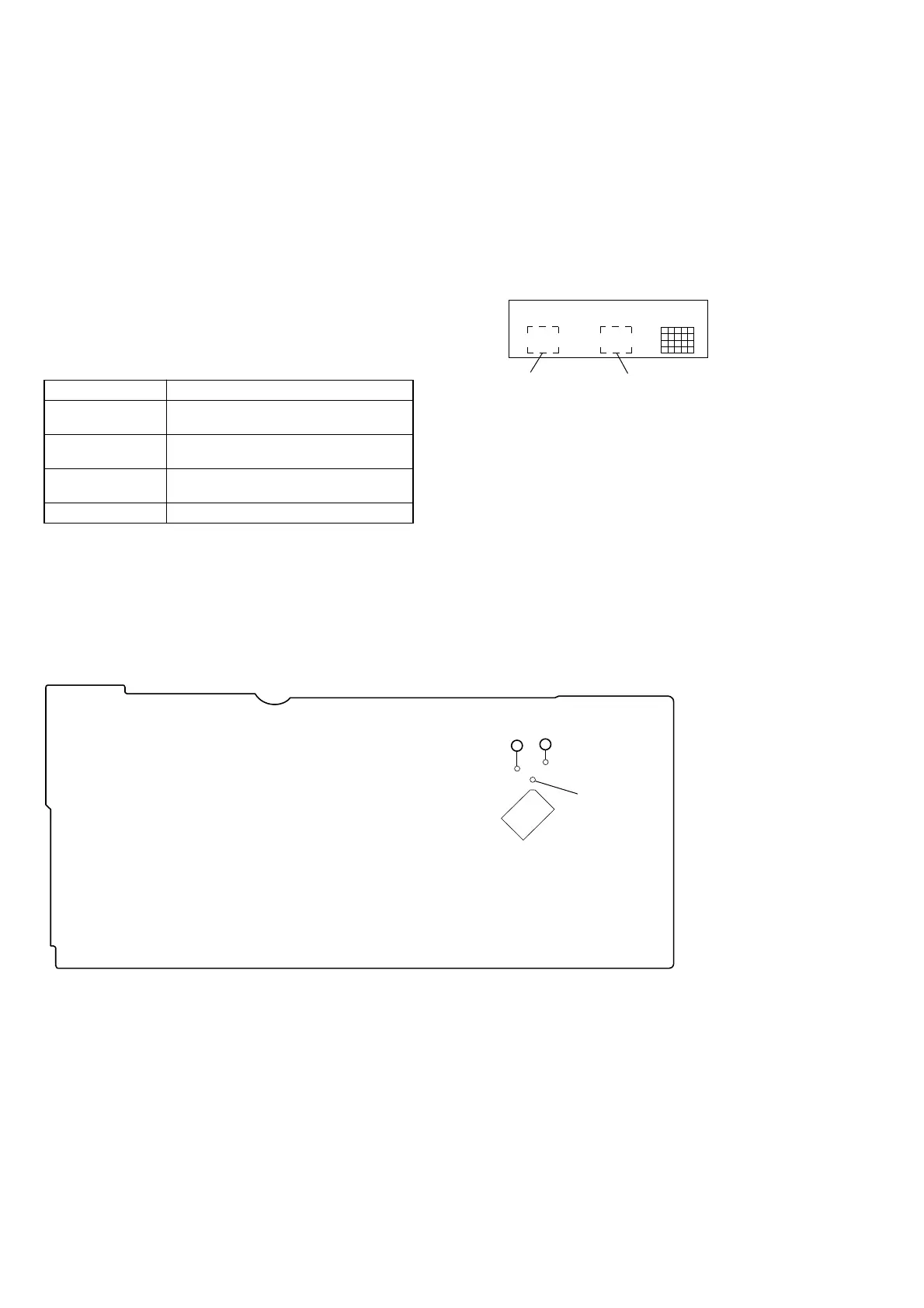
2. Short-circuit the test point TP1 (ADJ) of the MAIN board and
ground with a lead wire.
3. Press the
[POWER] button to turn ON the power.
The CD is playback automatically and the ADJ mode is set.
4. To exit the mode, press the
[POWER] button to turn OFF the
power.
• Prohibits high speed search during accessing
• Ignores even if GFS becomes “L”
ADJ Mode Special Function Table
Button Function
PROGRAM
Auto gain display
(Focus, Tracking and Sledding)
CONTINUE
Servo average display 1
(VC, FE and RF)
SHUFFLE
Servo average display 2
(TE and Traverse)
FADER RFCK → GFS → Error rate display
FLUORESCENT INDICATOR TUBE, LED ALL LIT,
AND KEY CHECK MODE
1. Short-circuit the test TP2 (AFADJ) of the MAIN board and
ground with a lead wire.
2. Press the
[POWER] button to turn ON the power.
The whole fluorescent indicator tube lights up.
3. All buttons have individual button numbers.
When a button is pressed, the button number is counted up
and displayed.
When remote controller signals are received, “RM **” will
be displayed.
(** are the numbers corresponding to the remote controller
buttons.)
When using the remote controller, switch the
[CD1/2/3] switch
to CD1.
4. To exit the mode, press the [POWER] button to turn OFF the
power.
Count up display Displays button numbe
10
Checking Location:
– MAIN BOARD (Conductor Side) –
TP1
(ADJ)
TP2
(AFADJ)
(GND)
IC301
JW64
JW63



 To Next Page