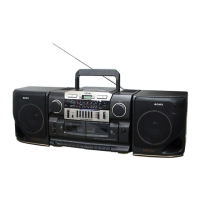
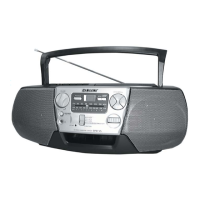
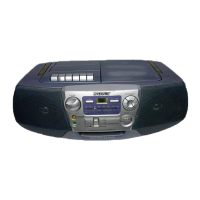
CFD-CD777SMK2
4
SECTION 2
GENERAL
This section is extracted from
instruction manual.
• LOCATION OF CONTROLS
4
GB
1 Set FUNCTION to CD.
2 Press Z PUSH OPEN/CLOSE down
to open the lid of the CD
compartment and place a CD
on the CD compartment.
3 Close the lid of the CD compartment.
Basic Operations
Playing a CD
With the label side up
142,3
Basic Operations
5
GB
Use these buttons for additional operations
Display
Playing timeTrack number
x
To Do this
adjust the volume Turn VOLUME.
stop playback Press x.
pause playback Press u. (On the remote, press
X.)
Press the button again to resume
play after pause.
go to the next track Press >.
go back to the previous track Press ..
remove the CD Press ZPUSH OPEN/CLOSE.
turn off the player Set FUNCTION to TAPE¥ CD/
RADIO OFF.
4 Press u (N on the remote).
The player plays all the tracks once.
VOLUME
u., >
Level meter
FUNCTION Z PUSH OPEN/CLOSE
Tip
During operation, the level
meter shows the frequency
level of the sound.
Adjusting the volume will
not affect the level meter.
6
GB
Listening to the radio
1 Set FUNCTION to RADIO.
2 Set BAND to select the band you
want.
3 Turn TUNING to tune in the station
you want.
For better SW reception, use FINE
TUNING.
3123
Basic Operations
7
GB
Use these buttons for additional operations
To Do this
adjust the volume Turn VOLUME .
turn off the radio Set FUNCTION to TAPE¥ CD/
RADIO OFF.
To improve broadcast reception
Reorient the antenna for FM. Reorient the player itself for
MW. For SW, extend the antenna vertically.
for FM
Tips
¥ During operation, the level
meter shows the frequency
level of the sound.
Adjusting the volume will
not affect the level meter.
¥ If the FM broadcast is
noisy, set ISS¥FM MODE
at the rear to MONO.
Radio will play in
monaural.
for MW
VOLUME Level meterFUNCTION
for SW


 To Next Page