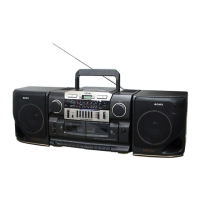
CFD-CD777SMK2
6
12
GB
Dubbing
1 Insert a recorded tape into deck A
and a blank tape into deck B. Use
TYPE I (normal) tape only.
Close the compartment.
2 Set FUNCTION to DUBBING.
3 To dub at high speed, press HIGH
SPEED DUBBING to
ON.
To dub at normal speed, press HIGH
SPEED DUBBING to
OFF.
24 1143
5
With the side you want to
record on facing you
Basic Operations
13
GB
4 Press X and then press PLAY on
deck A.
5 Start dubbing.
Press z on deck B (N is depressed
automatically).
Use these buttons for additional operations
Note
During dubbing, do not set
FUNCTION or press HIGH
SPEED DUBBING as this
causes excessive wow and
flutter.
Tips
¥ Adjusting the volume or
selecting the audio
emphasis will not
affect the recording
level.
¥ For the best results, use the
AC power as a power
source.
¥When the tape in deck A
ends first, deck B will
continue recording till the
tape end. When the tape in
deck B ends first, deck A
plays on according to the
setting of the DIR MODE
switch.
Deck A
Deck B
xZ xZ
To stop dubbing
Press xZ on deck A and B.


 To Next Page