28
GB
You can preset up to 20 FM stations and 20 AM
stations. You can then tune in any of those
stations simply by selecting the corresponding
preset number.
1 Press TUNER/BAND repeatedly to
select “FM” or “AM.”
2 Press TUNING + or – repeatedly to tune
in the desired station.
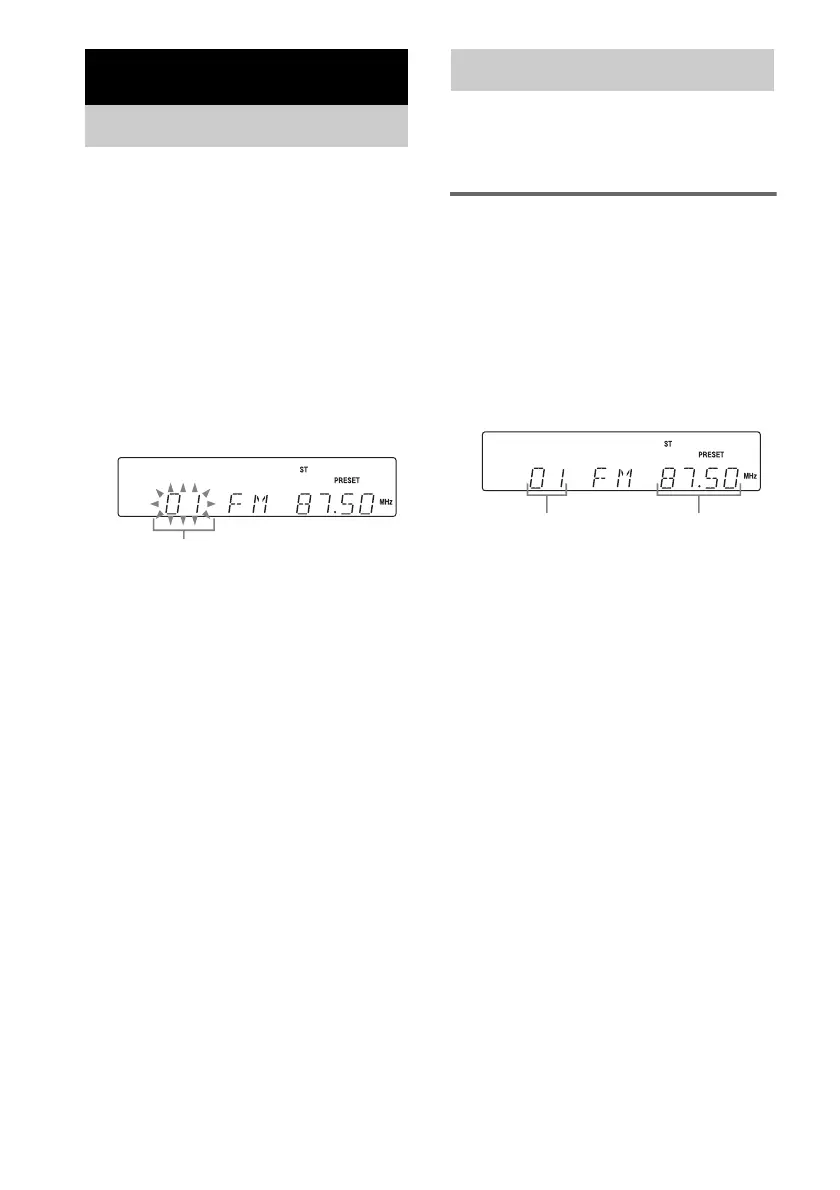
3 Press TUNER MEMORY.
A preset number flashes.
Perform steps 4 and 5 while the preset
number flashes.
4 Press PRESET + or – repeatedly to
select the desired preset number.
5 Press ENTER.
6 Repeat steps 1 through 5 to store other
stations.
To set another station to the
existing preset number
Start over from step 1. After step 3, press
PRESET + or – repeatedly to select the preset
number you want to store the other station.
Tip
Holding TUNING + or – in step 2, the frequency
indicator changes and scanning stops when the system
tunes in a station (Automatic Tuning).
You can listen to a radio station either by
selecting a preset station, or by manually tuning
in the station.
Listening to a preset station
— Preset Tuning
Preset radio stations in the tuner’s memory first
(see “Presetting radio stations” (page 28)).
1 Press TUNER/BAND repeatedly to
select “FM” or “AM.”
2 Press PRESET + or – repeatedly to
select the desired preset station.
Tuner
Presetting radio stations
Preset number
Listening to the radio
FrequencyPreset number



 To Next Page