1
2
Start the application software that you use for printing, and
select the image to be printed.
Click "Page Setup" from the "File" menu of the application.
The "Page Setup" dialog box appears.
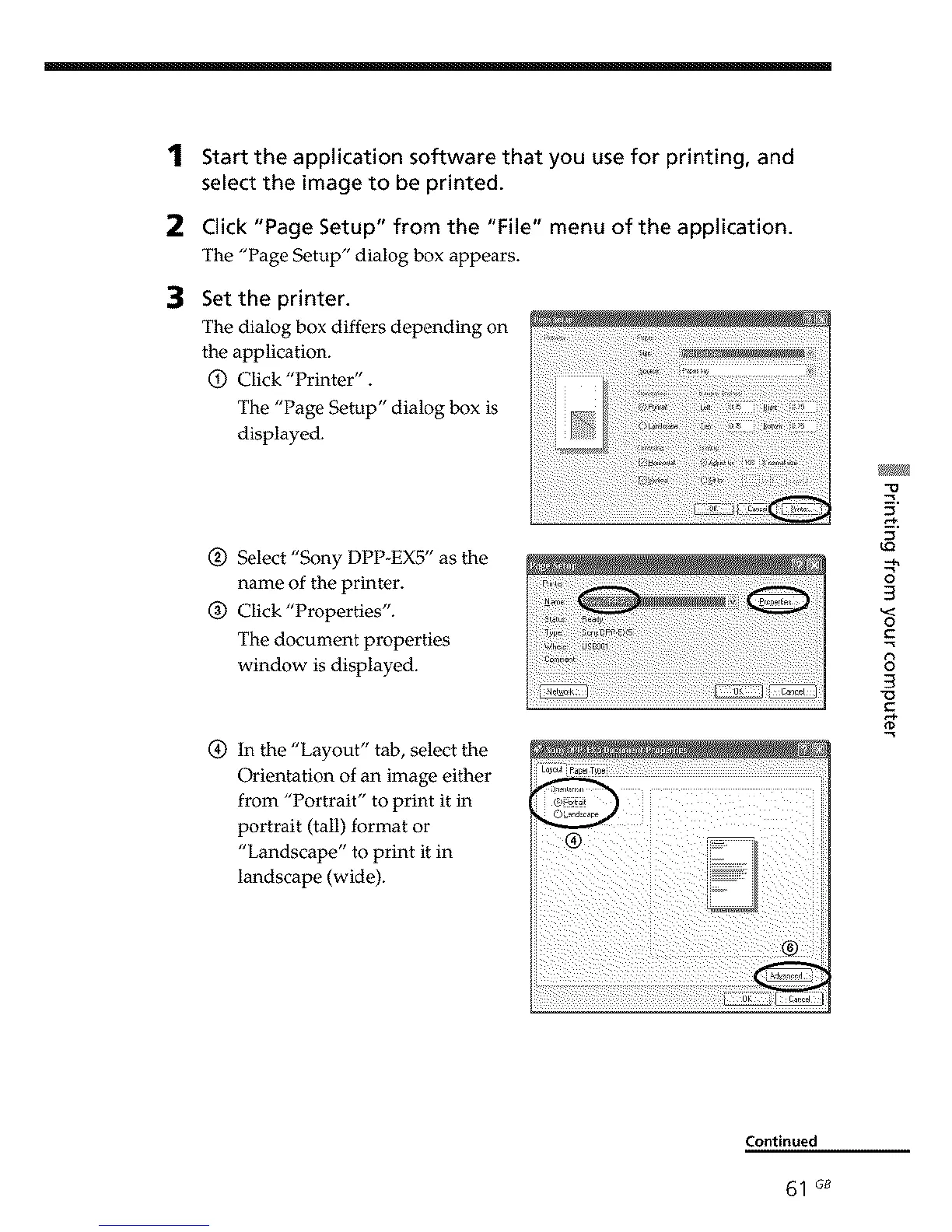
Set the printer.
The dialog box differs depending on
the application.
O Click "Printer".
The "Page Setup" dialog box is
displayed.
Q Select "Sony DPP-EX5" as the
name of the printer.
(_ Click "Properties".
The document properties
window is displayed.
(_ In the "Layout" tab, select the
Orientation of an image either
from "Portrait" to print it in
portrait (tail) format or
"Landscape" to print it in
landscape (wide).
3
3
o
C
8
3
Continued
61 G8



 To Next Page