Using your printer with Windows computers
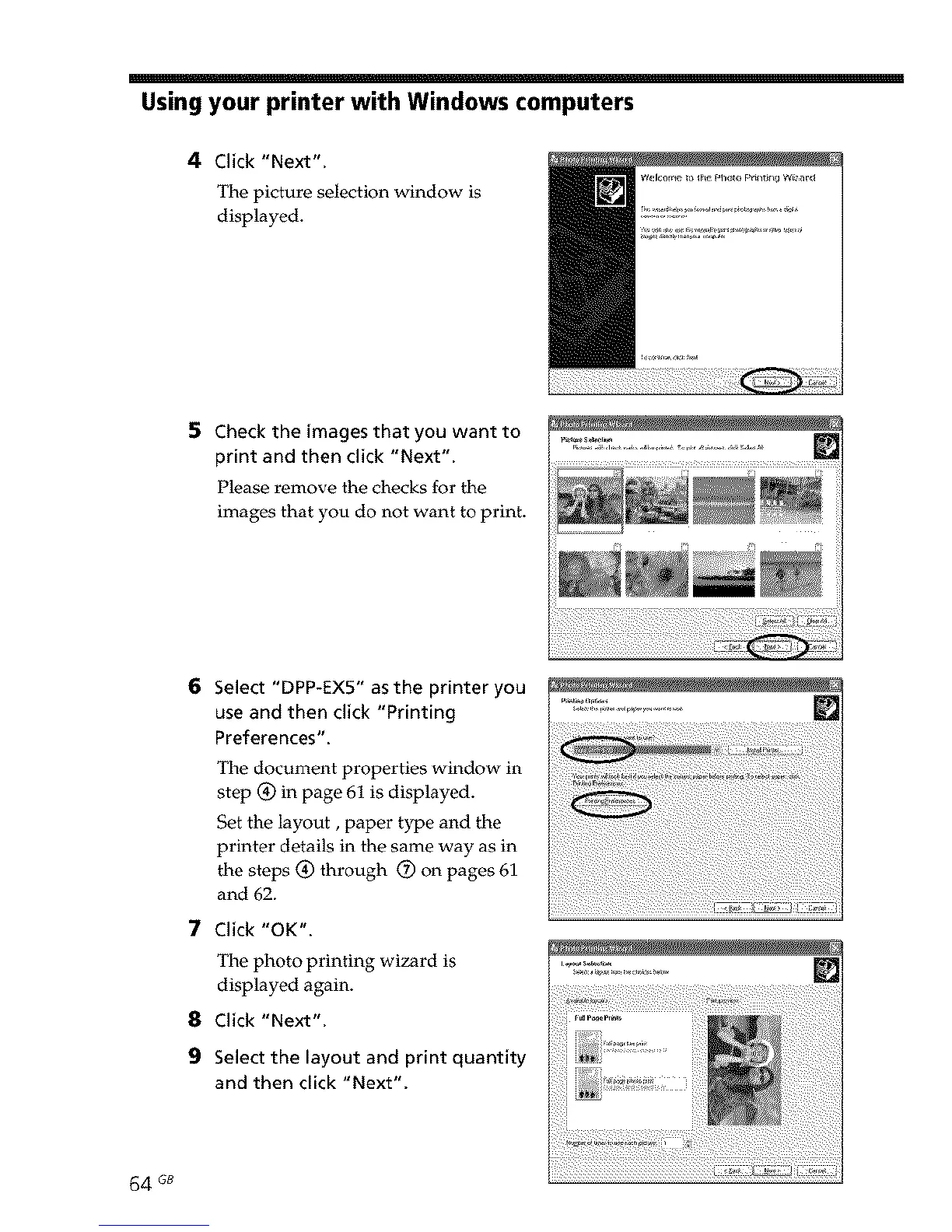
4 Click "Next".
The picture selection window is
displayed.
5 Check the images that you want to ...........
print and then click "Next".
Please remove the checks for the
images that you do not want to print.
6
7
8
9
Select "DPP-EX5" as the printer you
use and then click "Printing
Preferences".
The document properties window in
step (_ in page 61 is displayed.
Set the layout, paper type and the
printer details in the same way as in
the steps (_ through O on pages 61
and 62.
Click "OK".
The photo printing wizard is
displayed again.
Click "Next".
Select the layout and print quantity
and then click "Next".
64 GB



 To Next Page