Using your printer with Macintosh computers
When using Mac OS 8.619.019.119.2
1 Make sure that the printer isnot connected to the computer.
2 Turn on and start your Macintosh.
Be sure to close all running programs before installing the software.
Insert the supplied CD-ROM into the CD-ROM drive of your
computer.
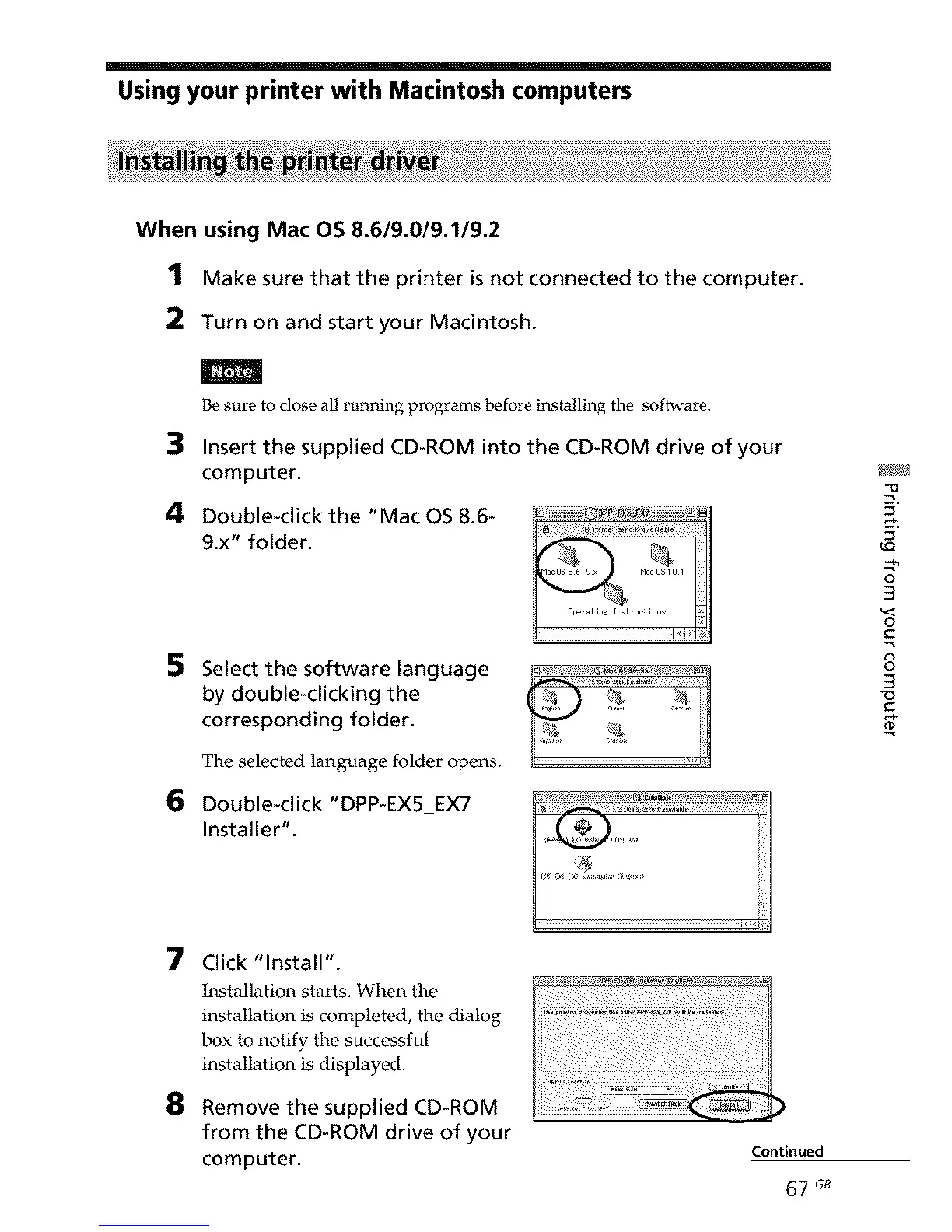
4 Double-click the "Mac OS 8.6-
9.x" folder.
5
6
Select the software language
by double-clicking the
corresponding folder.
The selected language folder opens.
Double-click "DPP-EX5 EX7
Installer".
q_
5,
LQ
--N
3
3
o
C
8
3
7
8
Click "Install'.
Installation starts. When the
installation is completed, the dialog
box to notify the successful
installation is displayed.
Remove the supplied CD-ROM
from the CD-ROM drive of your
computer.
Continued
67 G8



 To Next Page