Using your printer with Macintosh computers
m
• If you cancel the installation midway, do the installation procedures from the step 4.
• If the installation fails, remove the printer from your computer, r_tart your
computer, and then do the installation procedures from the step 4
• The supplied CD*ROM will be required when you re4nstall or uninstall the printer
driver. Keep it in good order for possible future use.
Uninstalling the printer driver
When the software becomes unnecessary, remove the software as follows: In
step 6, click "Uninstaller".
When using Mac OS X (v10.1/v10.2)
1 Make sure that the printer is not connected to the computer.
2 Turn on and start your Macintosh.
Be sure to close all running programs before installing the software.
3 Insert the supplied CD-ROM into the CD-ROM drive of your
computer.
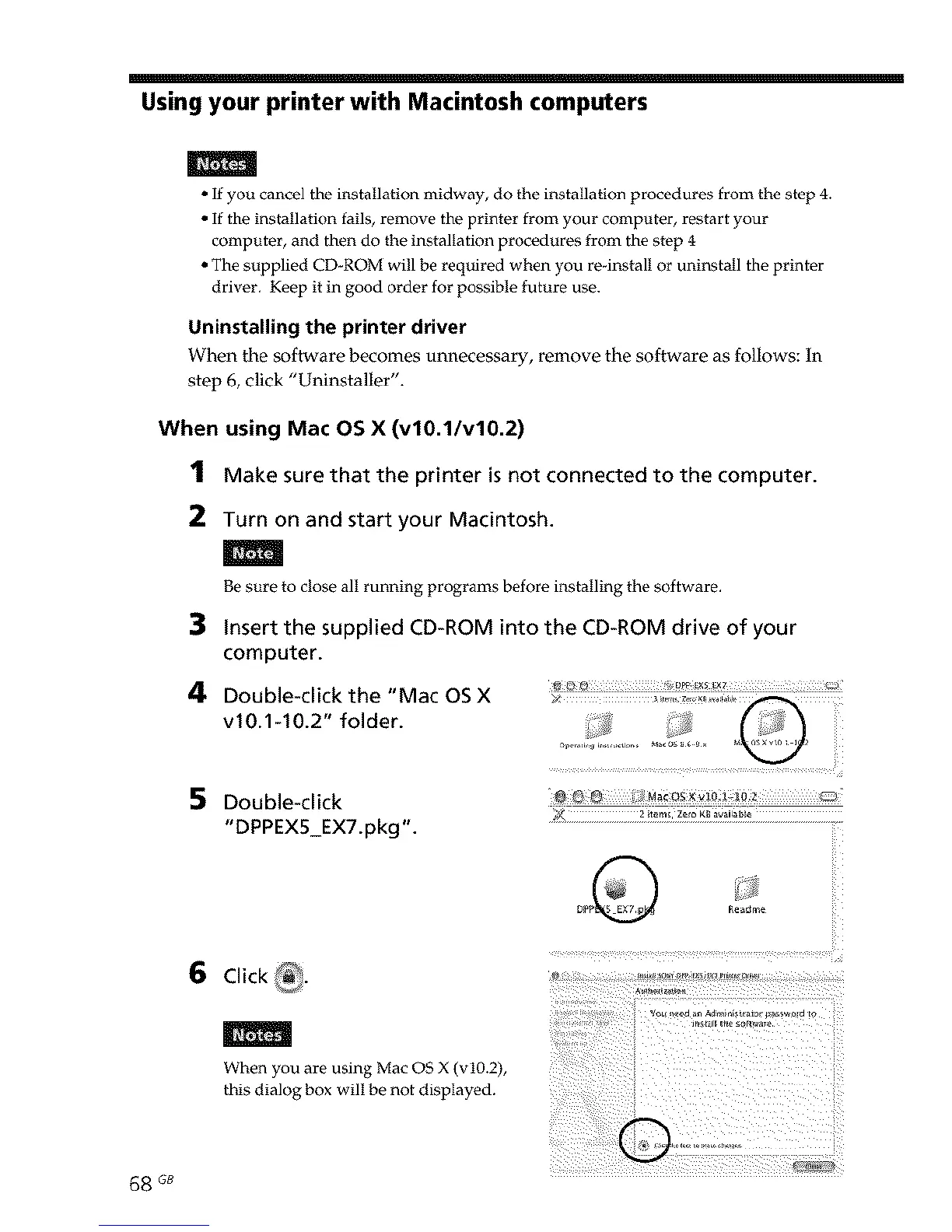
4 Double-click the "Mac OS X _< ...........
v10.1-10.2" folder. Q
5
Double-click
"DPPEX5_EX7.pkg".
6 Click _.
When you are using Mac OS X (v10.2),
this dialog box will be not displayed.
68 _



 To Next Page