1
2
Open the cartridge compartment lid and remove the print
cartridge (page 17).
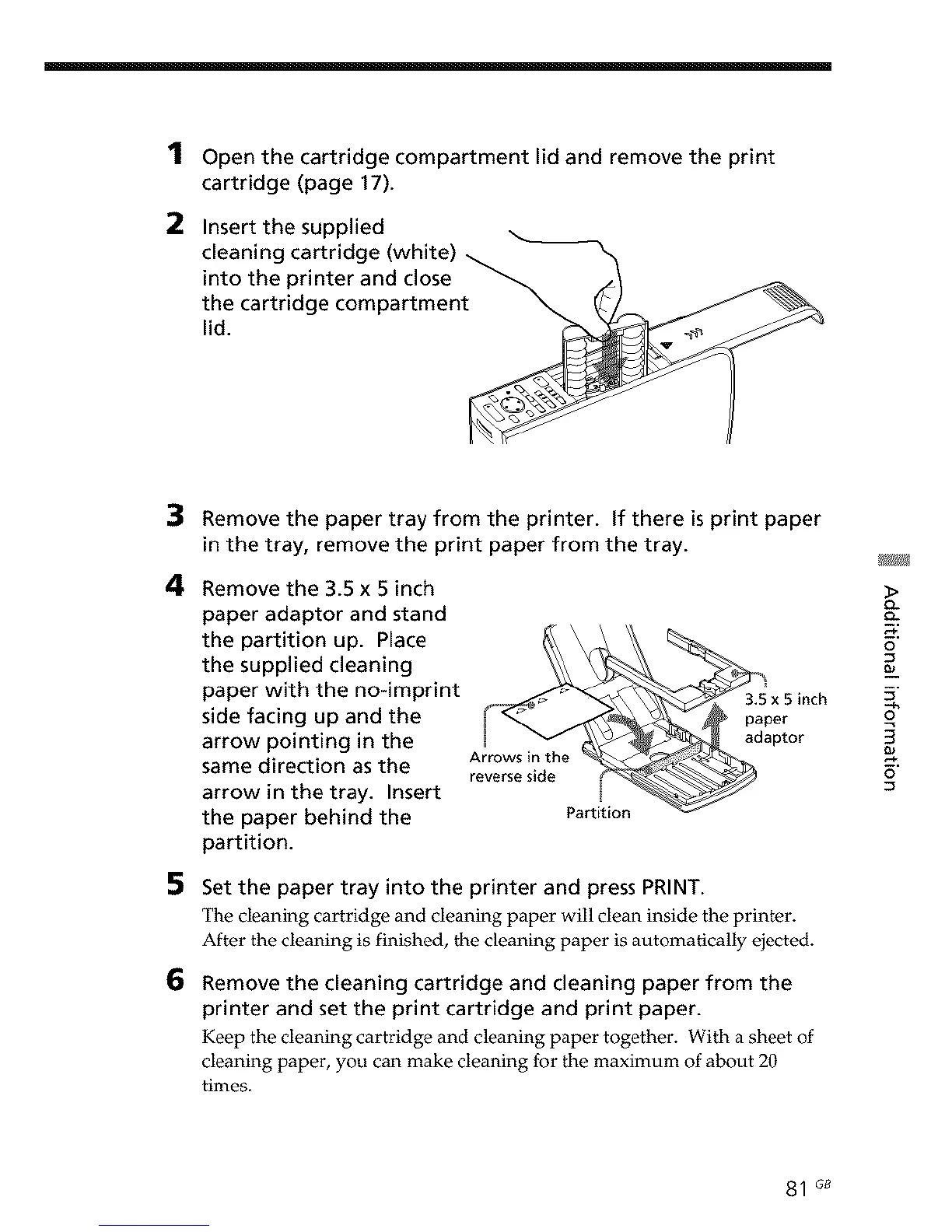
Insert the supplied
cleaning cartridge (white) _
into the printer and close _. _/
the cartridge compartment _ (_/_ _ _
lid. __/ "_
4
5
6
Remove the paper tray from the printer. If there is print paper
in the tray, remove the print paper from the tray.
Remove the 3.5 x 5 inch
paper adaptor and stand
the partition up. Place
the supplied cleaning
paper with the no-imprint
side facing up and the
arrow pointing in the
same direction as the
arrow in the tray. Insert
the paper behind the
partition.
A o S" t e
par t i_ZEOn
Set the paper tray into the printer and press PRINT.
The cleaning cartridge and cleaning paper will clean inside the printer.
After the cleaning is finished, the cleaning paper is automatically ejected.
Remove the cleaning cartridge and cleaning paper from the
printer and set the print cartridge and print paper.
Keep the cleaning cartridge and cleaning paper together. With a sheet of
cleaning paper, you can make cleaning for the maximum of about 20
times.
o-
o-
o
5"
--h
3
81 G8



 To Next Page