19
GB
Direct printing
Enjoying various printing
z Operation using the printer buttons
MENU
Press the AUTO TOUCH-UP button to automatically adjust a photo with problems, such
as being backlit, or showing the red-eye phenomenon.
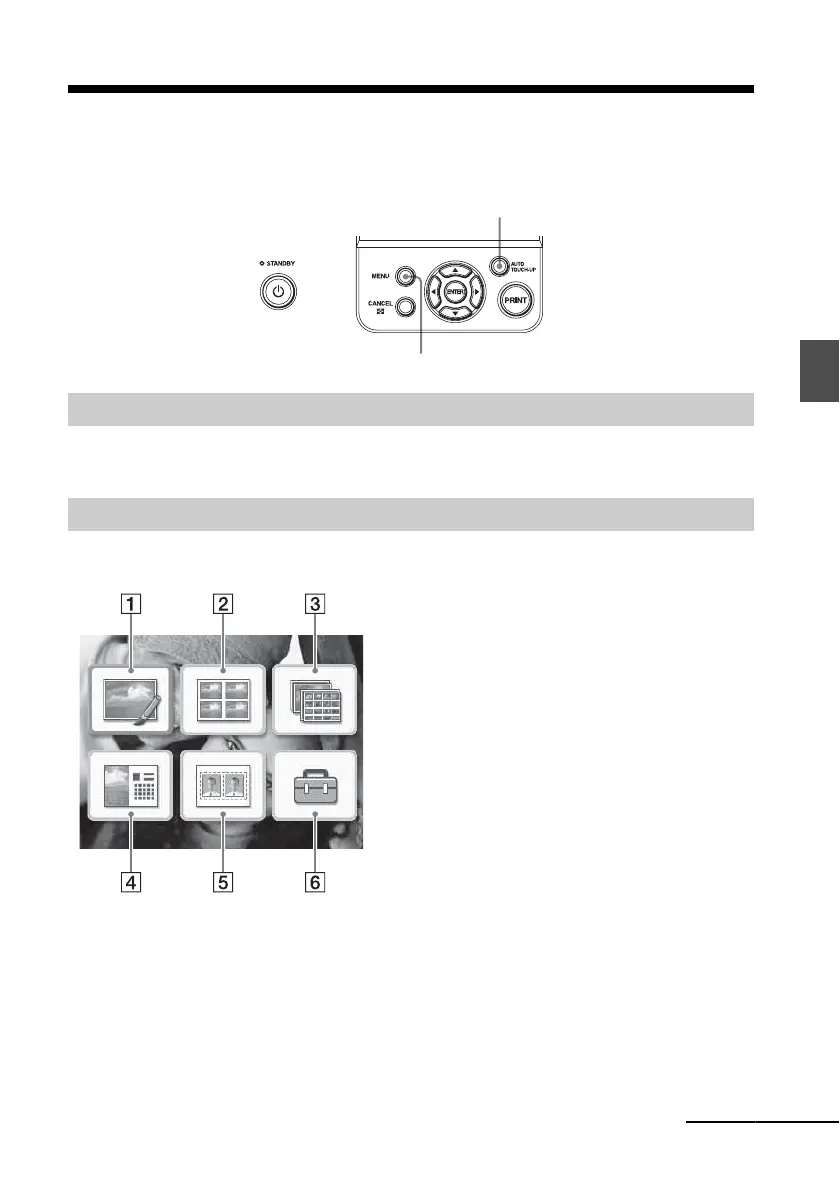
Press MENU and then select the icon of the desired operation.
Exposure and Red-eye Correction .page 22
AUTO TOUCH-UP
A variety of printing
•Press g/G/f/F to select the desired icon and
press ENTER.
1 Edit
2 Layout Print
3 Batch Print
4 Calendar
5 ID Photo
6 Print setup
• To exit the menu, press CANCEL or press
MENU again.
Continued



 To Next Page