Editing
an
image
1 From the Edit menu (page 18),
press
<lll>
to select
~,
(Enlarge) to
enlarge an image or
~:
(Reduce)
to reduce it, and then press ENTER.
Each time you press the button, the image
becomes larger
or
smaller. You can also
use the
~
(zoom in) and
~
(zoom out)
buttons to enlarge
or
reduce the image
size:
~:
: up to 200%
~.
: down to 60%
The picture quality
of
an enlarged image may
deteriorate depending on its size.
1 From the Edit menu (page 18),
press
<lll>
to select • (Move) and
then press ENTER.
The
<l/I>/bJ'l
indicators appear on the
left/right/above/below the image and you
can move the image.
2 Press
<l/1>/~
to move an image.
3 Press ENTER.
The image
is
fixed in its current position.
4 Press PRINT.
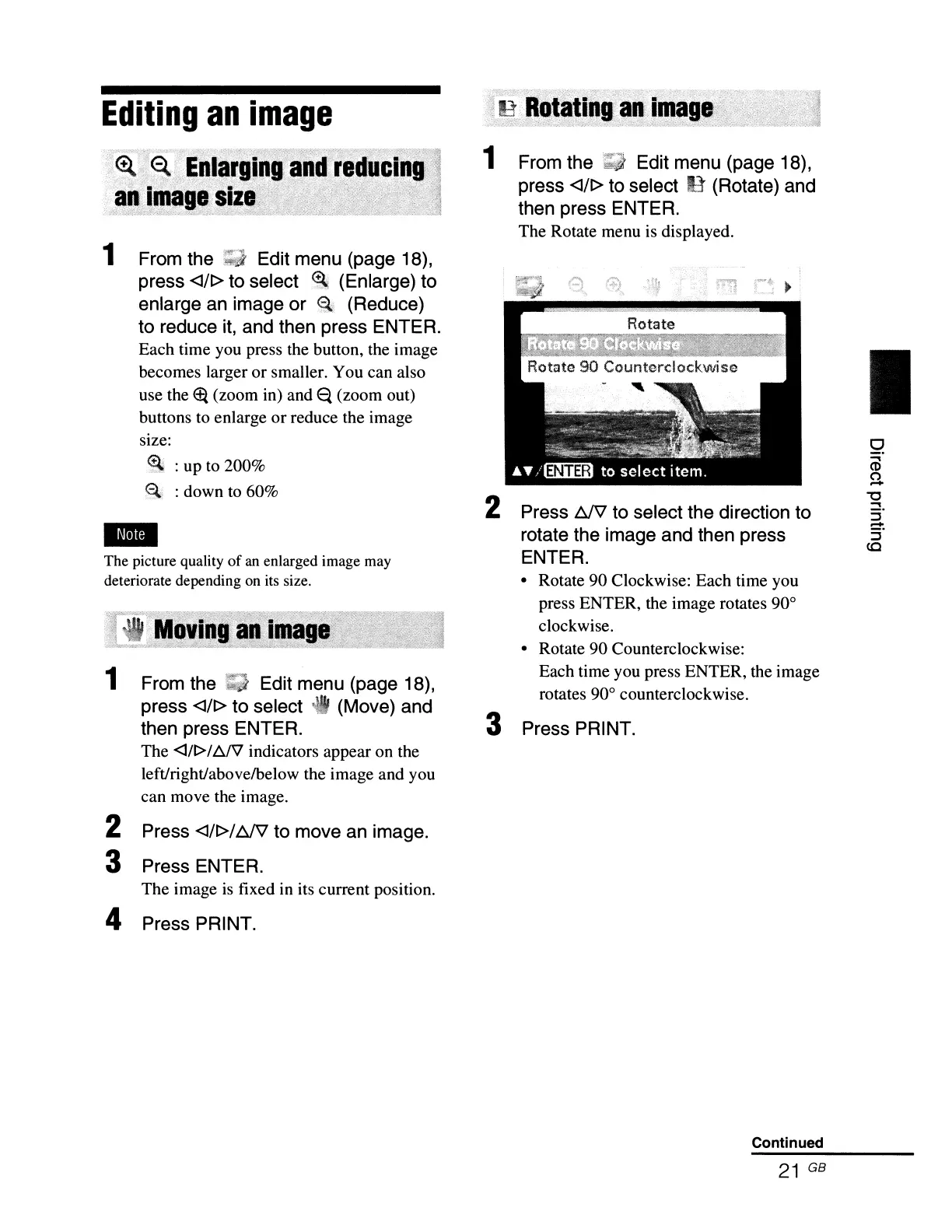
1 From the Edit menu (page 18),
press
<lll>
to select
11
(Rotate) and
then press ENTER.
The Rotate menu is displayed.
2 Press
~
to select the direction to
rotate the image and then press
ENTER.
• Rotate 90 Clockwise: Each time you
press ENTER, the image rotates 90°
clockwise.
• Rotate 90 Counterclockwise:
Each time you press ENTER, the image
rotates 90° counterclockwise.
3 Press PRINT.
Continued
21
GB
I



 To Next Page