• Fish-eye: Makes the image look like a
photo taken with a fish-eye lens.
3 Press ENTER.
The filter takes effect.
When you have selected "Cross Filter,"
"Painting,"
or
"Single Color," the setting
window is displayed. Move to the next
step.
4 Set the level and range.
• Cross Filter
<DSelect "Level" with
&'l
and press
ENTER, adjust the level with
~V,
and
then press ENTER.
The higher the level you set, the more
light sources become sparkling.
@Select "Length" with
~V
and press
ENTER, adjust the length
of
light with
6.IV, and then press ENTER.
• Painting
Press
~V
to adjust the line length and
then press ENTER.
• Single Color
To
select
a
color
from
specified
colors
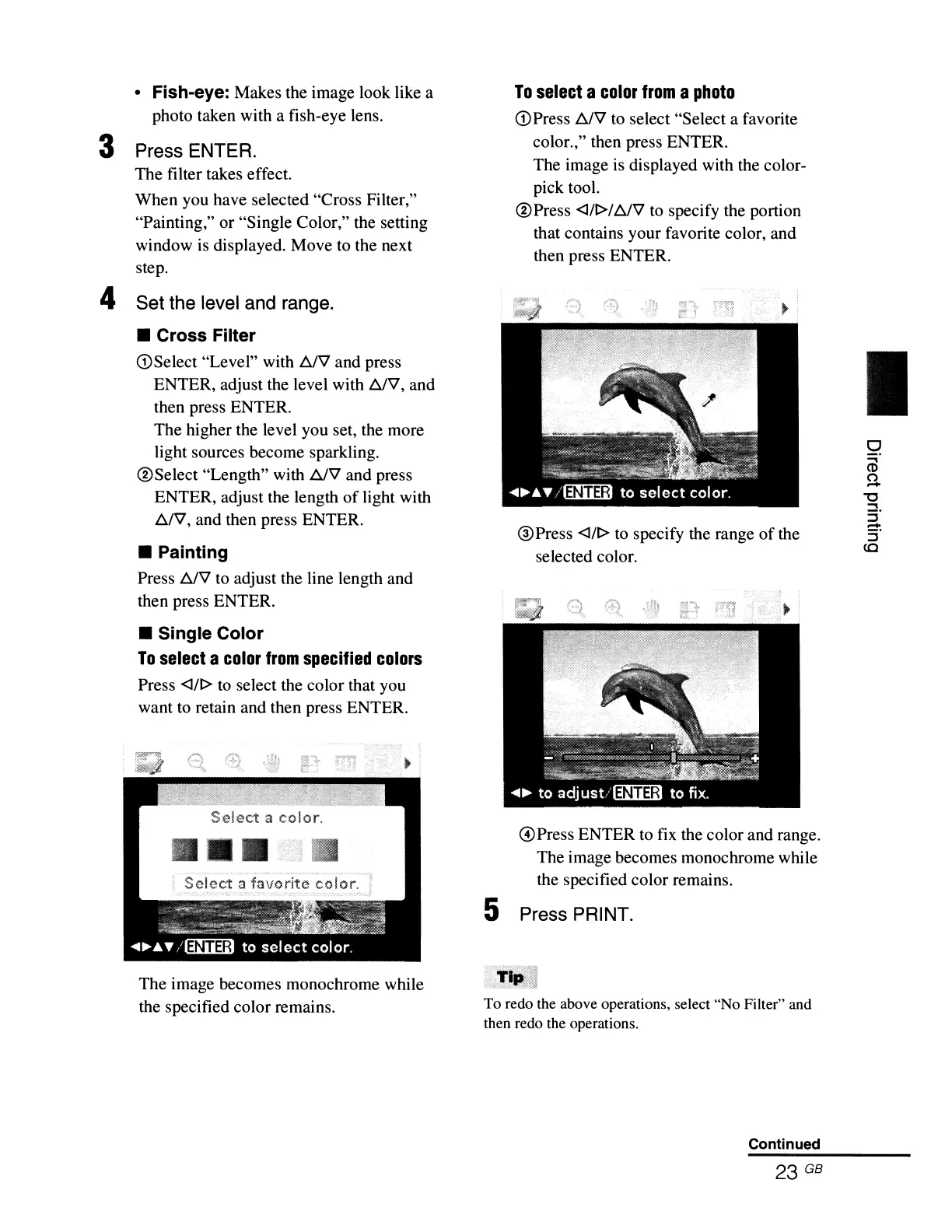
Press <Ill> to select the color that you
want to retain and then press ENTER.
Select
a color.
The image becomes monochrome while
the specified color remains.
To
select
a
color
from
a
photo
<D
Press
~V
to select "Select a favorite
color.," then press ENTER.
The image is displayed with the color-
pick tool.
@Press
<l/l>/~V
to specify the portion
that contains your favorite color, and
then press ENTER.
@Press
<Ill> to specify the range
of
the
selected color.
@Press ENTER to
fix
the color and range.
The image becomes monochrome while
the specified color remains.
5 Press PRINT.
To redo the above operations, select "No Filter" and
then redo the operations.
Continued
I
o
CD
U
"0
...
::r
-
:r
(Q



 To Next Page