EasyManua.ls Logo

Sony DPP-FP85 - Page 94

Sony DPP-FP85
104 pages
Print Icon
To Next Page IconTo Next Page
To Previous Page IconTo Previous Page
Loading...
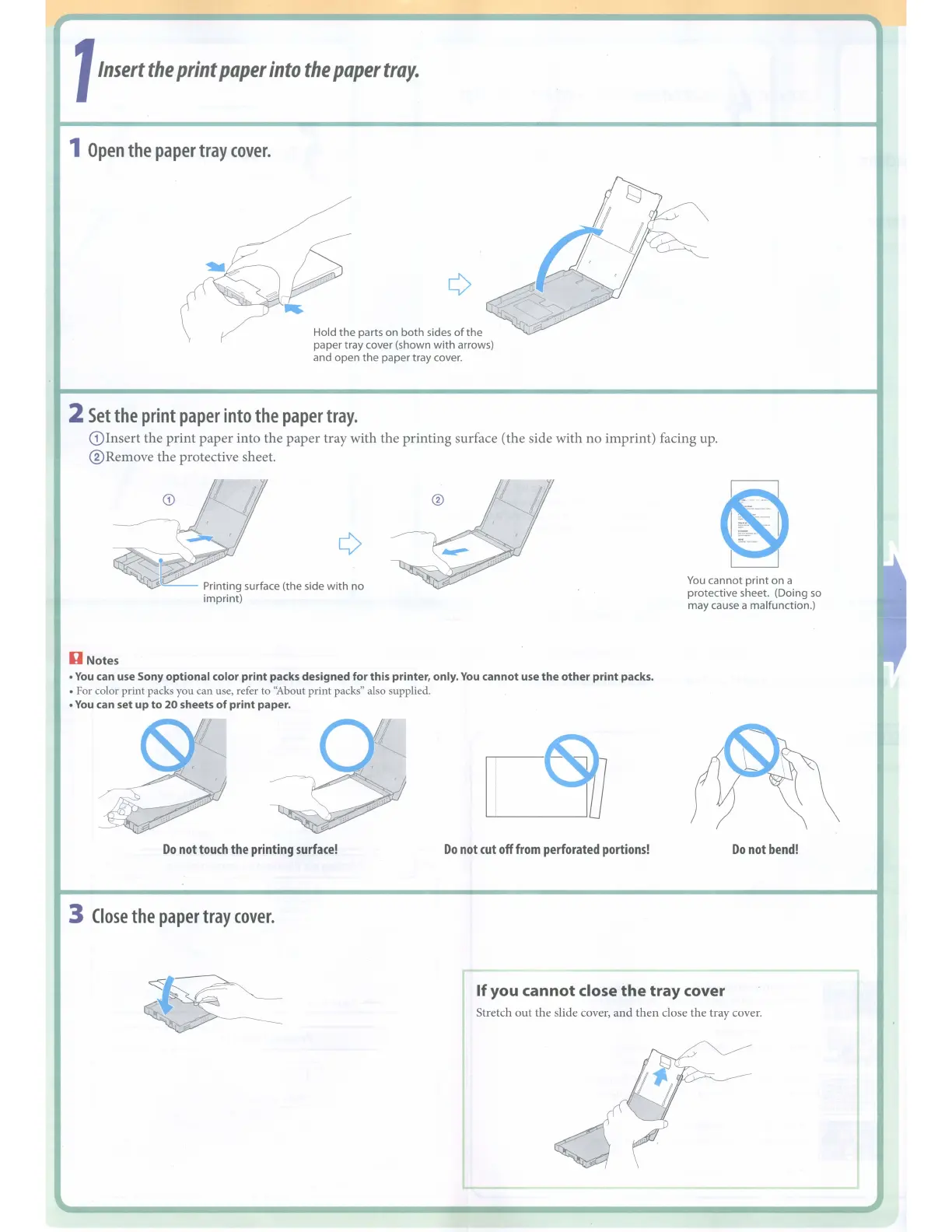
1
Insert
the
print
paper
into
the
paper
tray.
1
Open
the
paper
tray
cover.
Hold
the
parts on
both
sides
of
the
paper tray cover (shown
with
arrows)
and open
the
paper tray cover.
2
Set
the
print
paper
into
the
paper
tray.
(Dlnsert
the
print
paper
into the
paper
tray with the printing surface (the side with
no
imprint) facing up.
®Remove the protective sheet.
~._-
Printing surface (the side
with
no
imprint)
II
Notes
You
can use Sony
optional
color
print
packs designed
for
this printer, only.
You
cannot use
the
other
print
packs.
For color print packs you can use, refer to "About print packs" also supplied.
You
can set
up
to
20
sheets
of
print
paper.
~
-_
..
~
.•
?-_.
I
.....
_-
~
You
cannot
print
on a
protective sheet. (Doing
so
may cause a malfunction.)
Do
not
touch
the
printing
surface!
3
Close
the
paper
tray
cover.
Do
not
cut
off
from
perforated
portions!
Do
not
bend!
If
you cannot close
the
tray
cover
Stretch
out
the slide cover,
and
then
close the tray cover.

Other manuals for Sony DPP-FP85

Related product manuals