You cannot print a motion-picture file or RAW data
files.
-
...,
o
3
0>
""U
()
""U
...,
:5'
.....
S·
ec
!
~l.
~,
•.••..•...••.•••••••••.••••••.••••••••••....•.•.•
,
..•
,, J
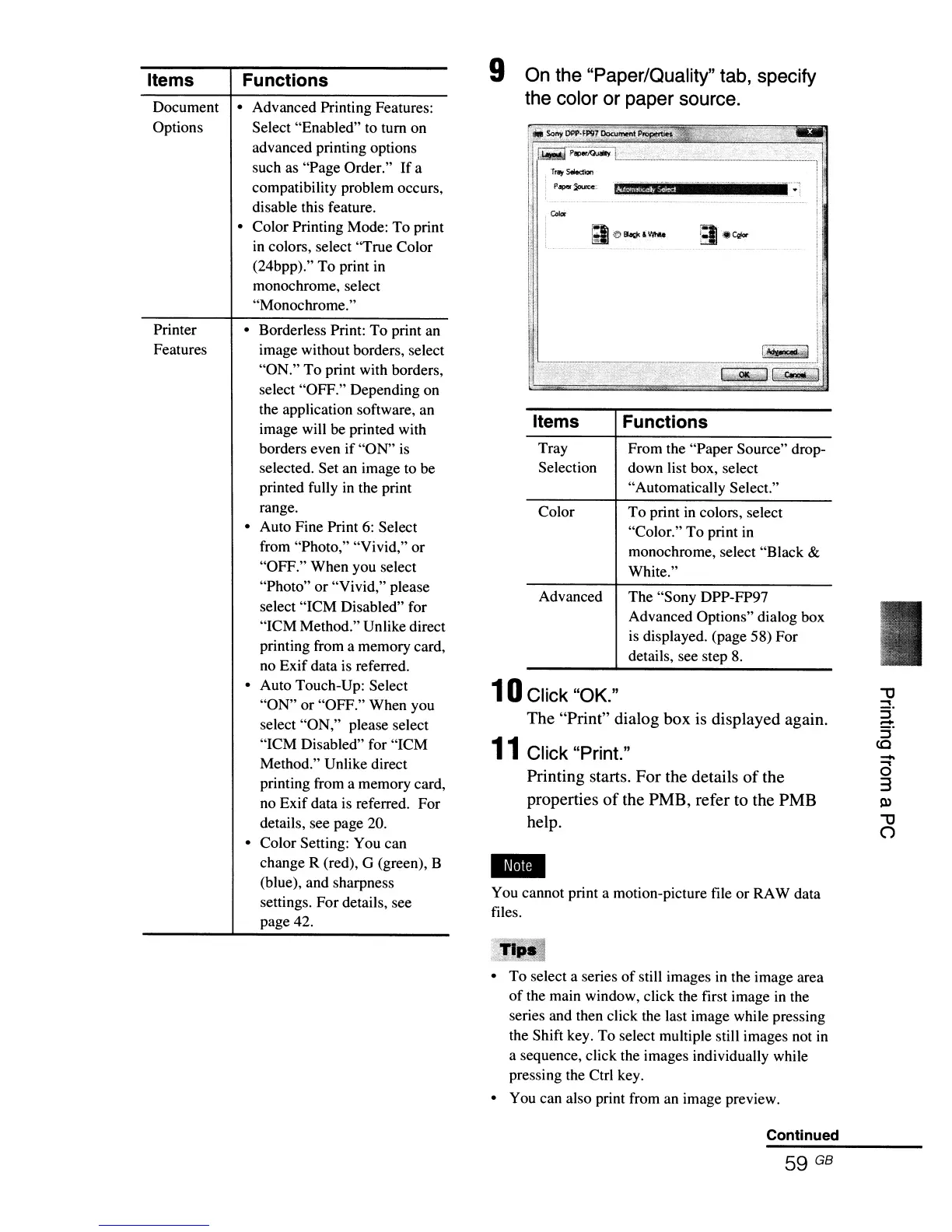
The "Sony DPP-FP97
Advanced Options" dialog box
is
displayed. (page 58) For
details, see step
8.
To
print
in
colors, select
"Color."
To
print in
monochrome, select "Black
&
White."
From the "Paper Source" drop-
down list box, select
"Automatically Select."
Functions
Advanced
Color
Tray
Selection
Items
r~f1I~~~~!~::·~~~E~·=·"=.'ll·
\i T"'t SW:lion iI
'II
~.!
. Paper
~:.
ii#@j!¥Jj,·
..
···y_·_·v··
..
_·_
y
.....
•
__
....
·¥"-lf
~
i
d
,.
On the "Paper/Quality" tab, specify
the color or paper source.
10
Click "OK."
The "Print" dialog box
is
displayed again.
11
Click "Print."
Printing starts. For the details
of
the
properties
of
the PMB, refer to the PMB
help.
9
Functions
• Borderless Print: To print an
image without borders, select
"ON."
To
print with borders,
select "OFF." Depending on
the application software, an
image will be printed with
borders even if "ON"
is
selected. Set an image to be
printed fully
in
the print
range.
• Auto Fine Print
6:
Select
from "Photo," "Vivid," or
"OFF." When you select
"Photo" or "Vivid," please
select "ICM Disabled" for
"ICM Method." Unlike direct
printing from a memory card,
no Exif data is referred.
• Auto Touch-Up: Select
"ON" or "OFF." When you
select "ON," please select
"ICM Disabled" for "ICM
Method." Unlike direct
printing from a memory card,
no Exif data
is
referred. For
details, see page 20.
• Color Setting: You can
change R (red),
G (green), B
(blue), and sharpness
settings. For details, see
page 42.
• Advanced Printing Features:
Select "Enabled"
to
tum on
advanced printing options
such as "Page Order."
If
a
compatibility problem occurs,
disable this feature.
• Color Printing Mode: To print
in colors, select "True Color
(24bpp)." To print
in
monochrome, select
"Monochrome."
Printer
Features
Document
Options
Items
.~l1c",
• To select a series
of
still images
in
the image area
of
the main window, click the first image
in
the
series and then click the last image while pressing
the Shift key. To select multiple still images not
in
a sequence, click the images individually while
pressing the Ctrl key.
• You can also print from an image preview.
Continued
59
GB



 To Next Page