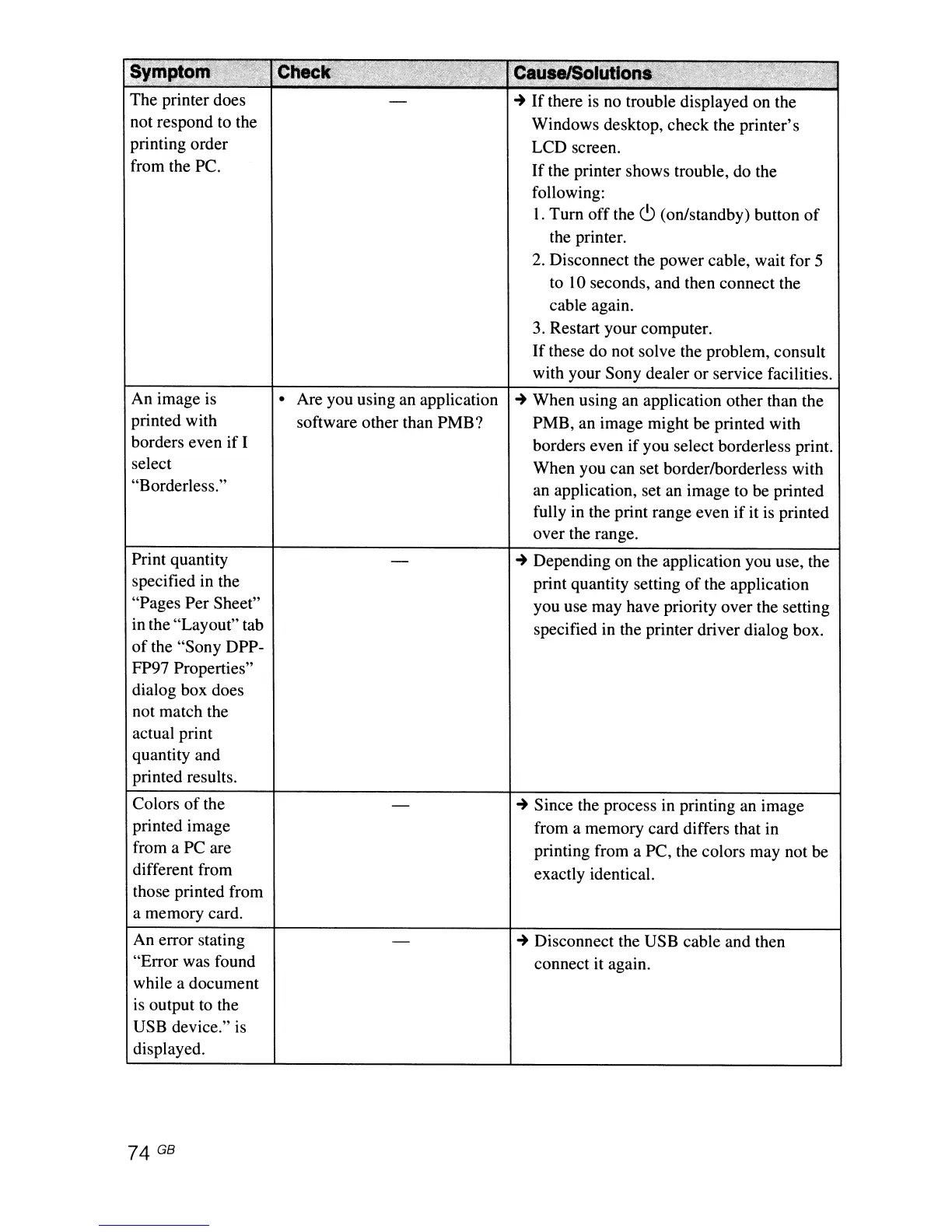
The printer does
not respond to the
printing order
from the
Pc.
An image is
printed with
borders even
if
I
select
"Borderless."
Print quantity
specified in the
"Pages Per Sheet"
in the "Layout" tab
of
the "Sony DPP-
FP97 Properties"
dialog box does
not match the
actual print
quantity and
printed results.
Colors
of
the
printed image
from a PC are
different from
those printed from
a memory card.
An error stating
"Error was found
while a document
is
output to the
USB device." is
displayed.
74 GB
• Are you using an application
software other than
PMB?
~
If
there
is
no trouble displayed on the
Windows desktop, check the printer's
LCD screen.
If
the printer shows trouble, do the
following:
1.
Turn
off
the
C)
(on/standby) button
of
the printer.
2. Disconnect the power cable, wait for 5
to 10 seconds, and then connect the
cable again.
3. Restart your computer.
If
these do not solve the problem, consult
with your Sony dealer or service facilities.
~
When using an application other than the
PMB, an image might be printed with
borders even if you select borderless print.
When you can set border/borderless with
an application, set an image to be printed
fully in the print range even
if
it is printed
over the range.
~
Depending on the application you use, the
print quantity setting
of
the application
you use may have priority over the setting
specified in the printer driver dialog box.
~
Since the process in printing an image
from a memory card differs that in
printing from a PC, the colors may not be
exactly identical.
~
Disconnect the USB cable and then
connect it again.



 To Next Page