35
Recording/Playback
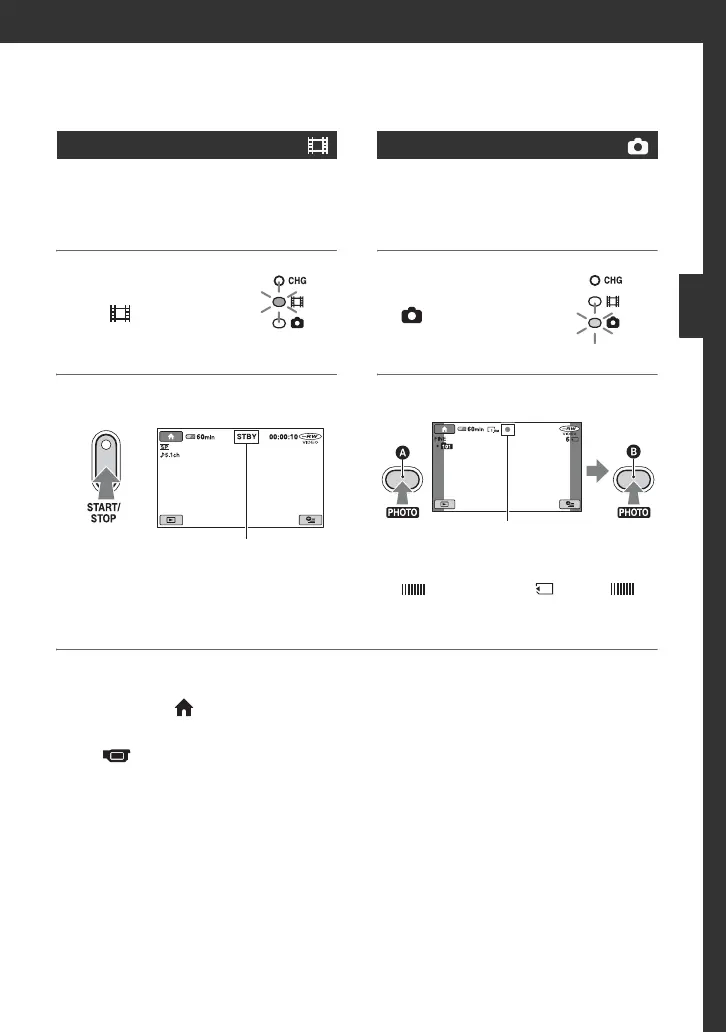
Movies are recorded on the disc. For
recordable time, see page 14.
1 Turn the POWER
switch
A until
the (Movie)
lamp turns on.
2 Press START/STOP B (or C).
To stop recording, press START/STOP
again.
Still images are recorded on the “Memory
Stick Duo.” For the number of recordable
still images, see page 66.
1 Turn the POWER
switch A until the
(Still) lamp
turns on.
2 Press PHOTO F.
appears next to . When
disappears, the image has been
recorded.
To switch to the movie recording
mode using the (HOME) button
D
(or
E)
Touch (CAMERA) of HOME MENU
t [MOVIE] or [PHOTO].
Movies
[STBY]t[REC]
Still Images
FlashingtLights up
Press slightly
to focus
Press full to
record
Continued ,













 To Next Page