41
Recording/Playback
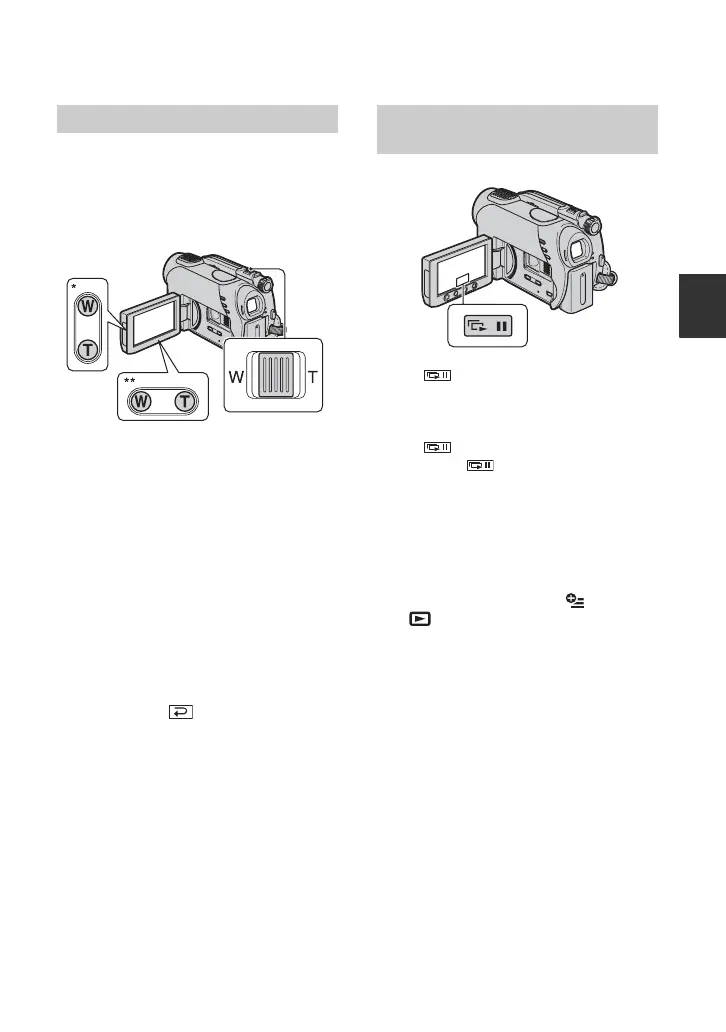
You can magnify still images from about
1.1 to 5 times the original size.
Magnification can be adjusted with the
power zoom lever or the zoom buttons on
the LCD frame.
* DCR-DVD108/DVD608
** DCR-DVD308/DVD708
1 Play back the still images you want to
magnify.
2 Magnify the still image with T
(Telephoto).
The screen is framed.
3 Touch the screen at the point you want
to display in the center of the displayed
frame.
4 Adjust the magnification with W (Wide
angle)/T (Telephoto).
To cancel, touch .
Touch on the still image playback
screen.
The slide show begins from the selected
image.
Touch to stop the slide show. To
restart, touch again.
b Notes
• You cannot operate playback zoom during slide
show.
z Tips
• You can set continuous slide show playback
using [SLIDE SHOW SET] on (OPTION)
t tab. The default setting is [ON]
(continuous playback).
Using PB zoom Playing back a series of still
images (Slide show)













 To Next Page