73
Customizing your camcorder
Activating functions using the OPTION MENU
The OPTION MENU appears just like the
pop-up window that appears when you
right-click the mouse on a computer.
Various functions are displayed in the
context of the operation.
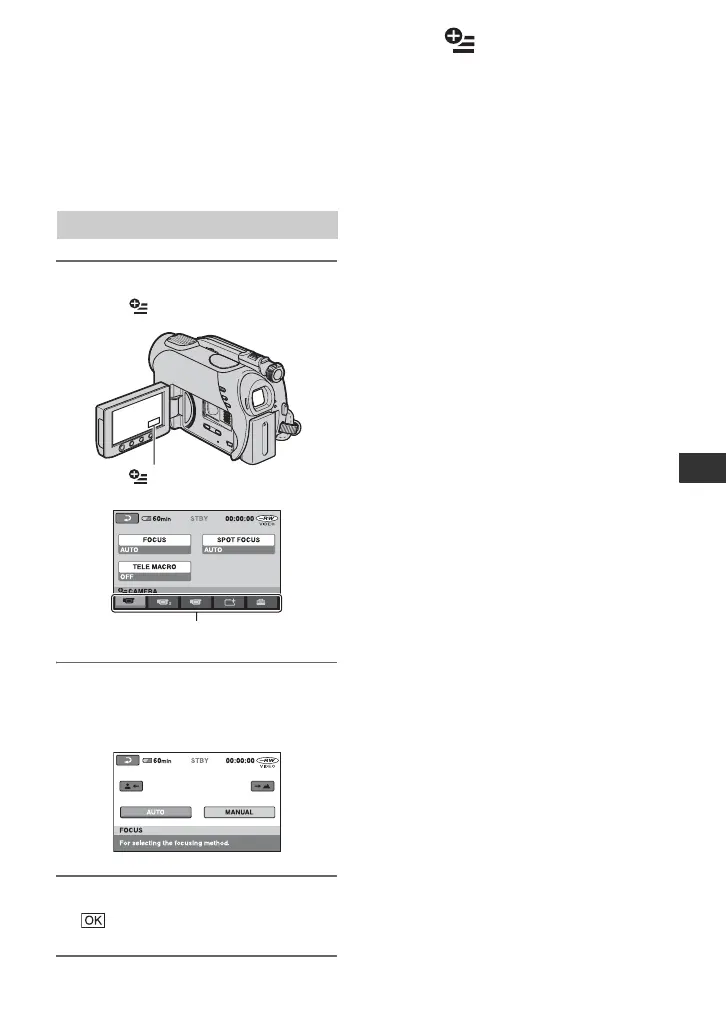
1 While using your camcorder,
touch (OPTION) on the screen.
2 Touch the desired item.
If you cannot find the desired item,
touch another tab to change the page.
3 Change the setting, then touch
.
When the item you want is not on the
screen
Touch another tab. If you cannot find the
item anywhere, the function does not work
under the situation.
b Notes
• The tabs and items that appear on the screen
depend on the recording/playback status of your
camcorder at the time.
• Some items appear without a tab.
• The OPTION MENU cannot be used during
Easy Handycam operation.
Using the OPTION MENU
(OPTION)
3
11
Tab
Continued ,













 To Next Page