67
Customizing your camcorder
You can set this function when you use an
external flash (optional) that is compatible
with your camcorder.
HIGH( )
Makes the flash level higher.
B NORMAL( )
LOW( )
Makes the flash level lower.
You can set this function when you use an
external flash (optional) that is compatible
with your camcorder.
You can prevent redeye by activating the
flash before recording.
Set [REDEYE REDUC] to [ON] to use this
function.
b Notes
• The redeye reduction may not produce the
desired effect due to individual differences and
other conditions.
FLASH LEVEL (DCR-
DVD308/DVD708)
REDEYE REDUC
(Redeye reduction)
(DCR-DVD308/DVD708)
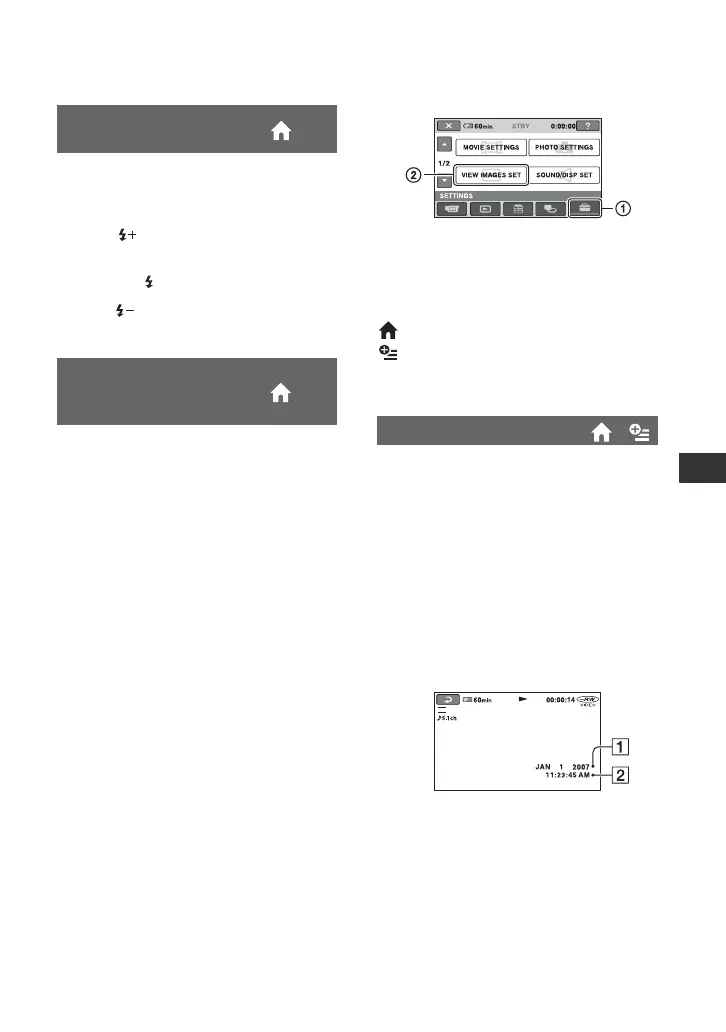
VIEW IMAGES SET
(Items to customize the display)
Touch 1, then 2.
If the item is not on the screen, touch v/V
to change the page.
How to set
(HOME MENU) t page 62
(OPTION MENU) t page 73
The default settings are marked with B.
During playback, displays the information
(data code) recorded automatically at the
time of recording.
B OFF
Data code is not displayed.
DATE/TIME
Displays the date and time.
CAMERADATA (below)
Displays camera setting data.
DATE/TIME
ADate
BTime
DATA CODE
SP
Continued ,













 To Next Page