70
z Tips
• This adjustment does not affect the recorded
images in any way.
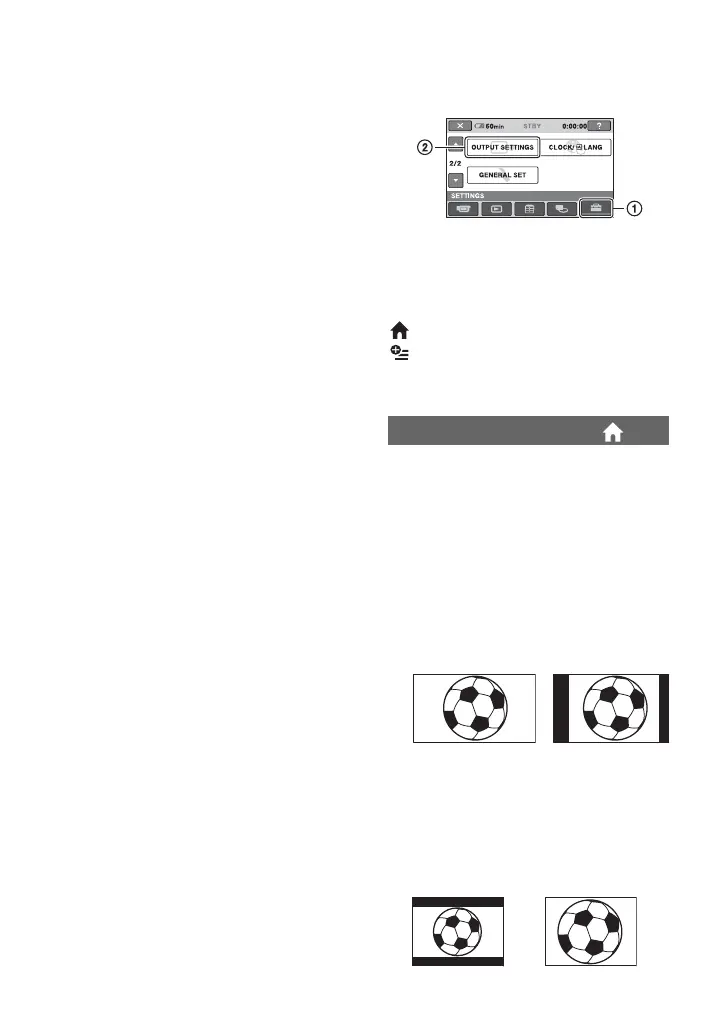
OUTPUT SETTINGS
(Items for when connecting other devices)
Touch 1, then 2.
If the item is not on the screen, touch v/V
to change the page.
How to set
(HOME MENU) t page 62
(OPTION MENU) t page 73
The default settings are marked with B.
You need to convert the signal depending
on the TV connected when playing back the
image. The recorded images are played
back as following illustrations.
16:9
(Default setting for DCR-DVD308/
DVD708)
Select to view your images on a 16:9
(wide) TV.
4:3
(Default setting for DCR-DVD108/
DVD608)
Select to view your images on a 4:3
standard TV.
TV TYPE
Wide (16:9)
images
4:3 images
Wide (16:9)
images
4:3 images
SOUND/DISP SET (Continued)













 To Next Page