62
Customizing your camcorder
What you can do with the (SETTINGS)
category of the HOME MENU
You can change the recording functions and
the operating settings for your convenience.
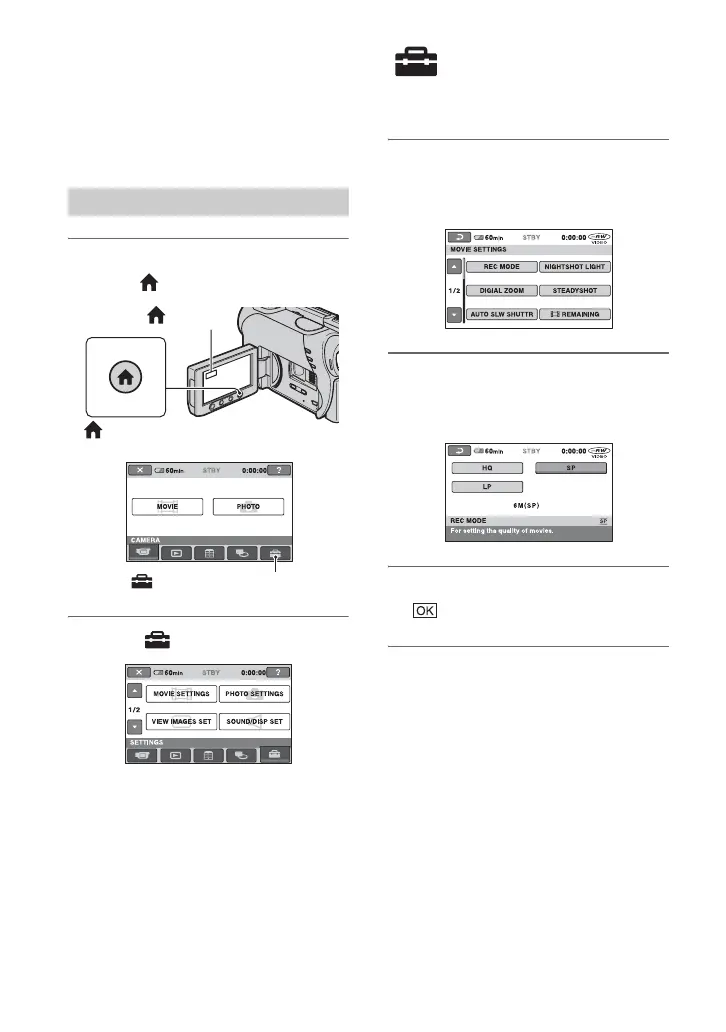
1 Turn on your camcorder, then
press (HOME).
2 Touch (SETTINGS).
3 Touch the desired setup item.
If the item is not on the screen, touch v/
V to change the page.
4 Touch the desired item.
If the item is not on the screen, touch v/
V to change the page.
5 Change the setting, then touch
.
Using the HOME MENU
(HOME)
(HOME)
(SETTINGS) category













 To Next Page