11
1
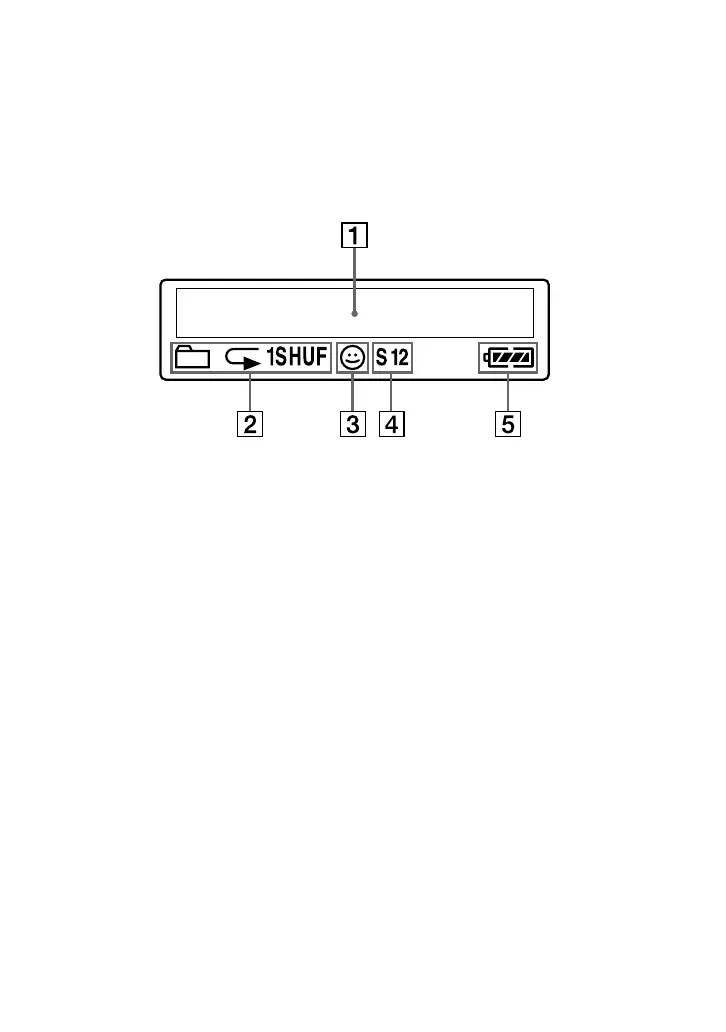
Text/graphic information display (page
17)
Displays track number, track name,
current date and time (page 22 to 23,
26), MESSAGE (page 13, 43) and menu.
Press the MENU button to switch the
display mode. For details, refer to
“Changing the display mode” on page
22.
2 Repeat mode indication (page 18)
The current repeat mode is displayed.
3 AVLS indication (page 27)
The indication appears while the AVLS
function is activated.
4 Digital sound preset indication
(page 23 to 24)
The current sound setting is displayed.
5 Remaining battery indication (page 9)
The remaining battery power is
displayed.
Display



 To Next Page