28
4 Press the MENU button.
The display returns to the normal screen.
To change the setting to “OFF”
Select “OFF” in step 3.
To cancel the Menu mode
Select [RETURN] in the menu screen or press the
MENU button.
Setting the volume
using the preset
volume function
There are two modes to adjust the volume
level.
Manual mode:
Press the VOLUME +/– button to adjust
the volume level in the range of 0 to 31.
Preset mode:
Press the VOLUME +/– button to set the
volume level to any of three preset
levels: LO, MID, or HI.
Setting a volume level of
the preset mode
1 Press the MENU button.
The menu screen is displayed.
REPEATMODE>
2 Press the .–/+> button to
select “VOL: MAN.”
VOL :MAN
Limiting the volume (AVLS)
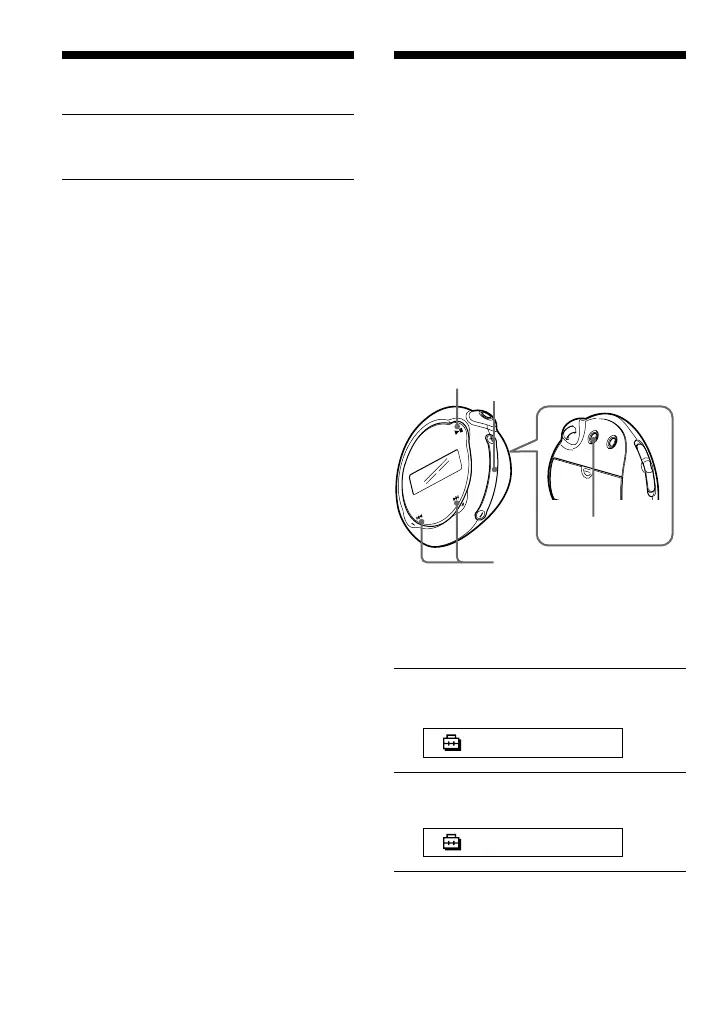
Nx button
.–/+> button
MENU button
VOLUME +/– button



 To Next Page