24
Adjusting the Sound
quality
You can adjust the sound quality of bass and
treble parts.
Sound quality Emphasis level
Bass -4 to +3
Treble -4 to +3
You can preset desired sound quality settings
as “Sound 1” and “Sound 2.” While playing
music, you can assign a preset sound quality
to music.
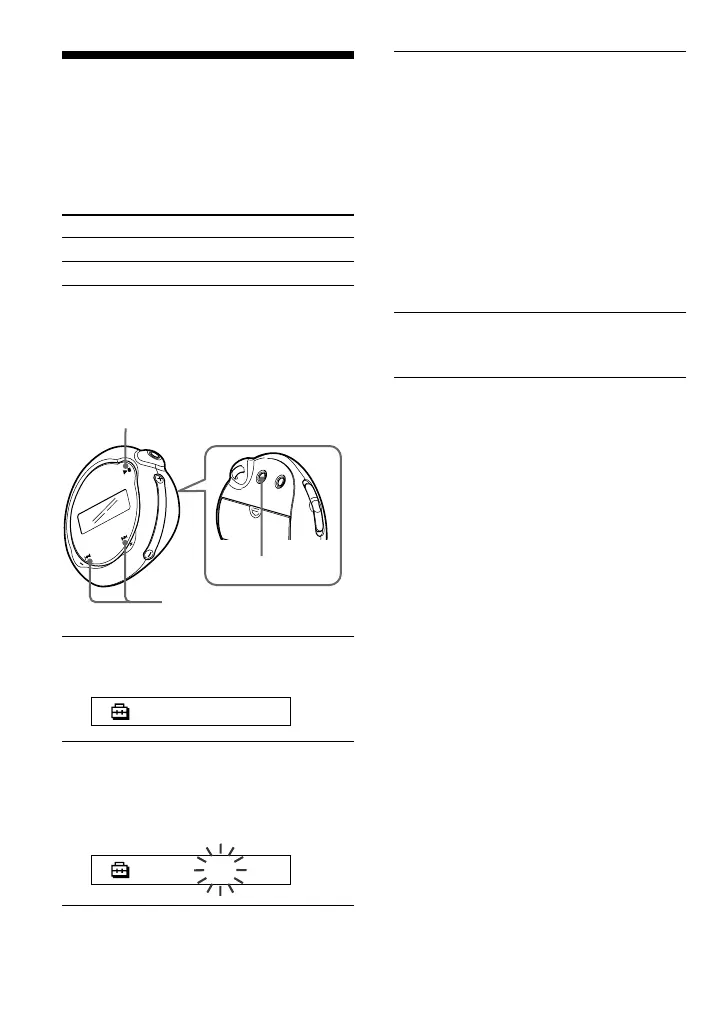
1 Press the MENU button.
The menu screen is displayed.
REPEATMODE>
2 Press the .–/+> button to
select “SOUND>” and press the
Nx button to confirm.
“SOUND:” is displayed in the screen.
SOUND: 1 >
Adjusting treble and bass (Digital
sound preset)
Nx button
MENU button
.–/+> button
3 Set the tone for “SOUND 1.”
1 Press the .–/+> button to
select “SOUND 1>” and press the
Nx button to confirm.
2 “BASS:+1” appears, press the .–
/+> button to adjust the emphasis
level of bass sound and press the
Nx button to confirm.
3 “TREBLE:0” appears, press the
.–/+> button to adjust the
emphasis level of treble sound and
press the Nx button to confirm.
4 Press the MENU button.
The display returns to the normal screen.
To adjust the “SOUND 2” setting
Select “SOUND 2>” in step 3.
To cancel the Menu mode
Select [RETURN] in the menu screen or press the
MENU button.



 To Next Page