32
Formatting
memory (FORMAT)
You can use your Network Walkman to
format the built-in flash memory.
If memory is formatted, all data previously
stored in the memory will be erased. Be sure
to verify the data stored in the memory prior
to formatting.
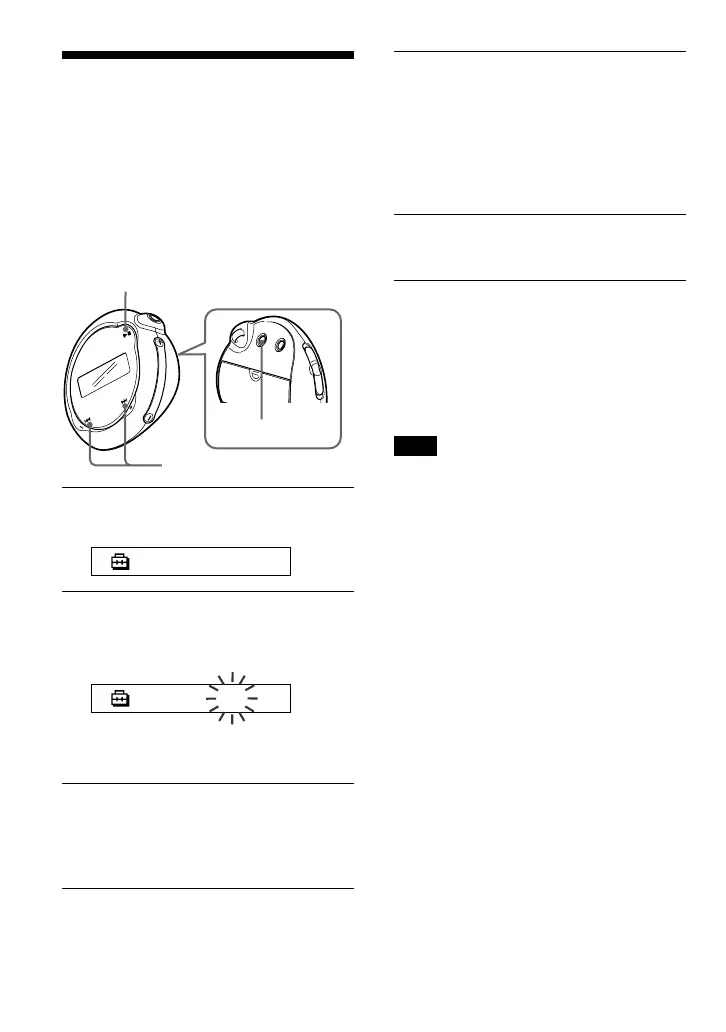
1 Press the MENU button.
The menu screen is displayed.
REPEATMODE>
2 Press the .–/+> button to
select “FORMAT>” and press the
Nx button to confirm.
FORMAT:N
You cannot format memory while
playing music.
3 Press the .–/+> button to
select “Y” and press the Nx
button to confirm.
“Really?” is displayed.
4 Press the Nx button.
“FORMATTING” blinks and formatting
starts.
When formatting is complete,
“COMPLETE” is displayed and the
display returns to the indication in step
2.
5 Press the MENU button.
The display returns to the normal screen.
To cancel the Menu mode
Select [RETURN] in the menu screen or press the
MENU button.
To cancel formatting
Select “N” in step 3.
Note
You cannot format memory while playing music.
(“FORMAT” will not be displayed in the menu
screen.)
B
Other functions
Nx button
MENU button
.–/+> button



 To Next Page