15
Basic Operations
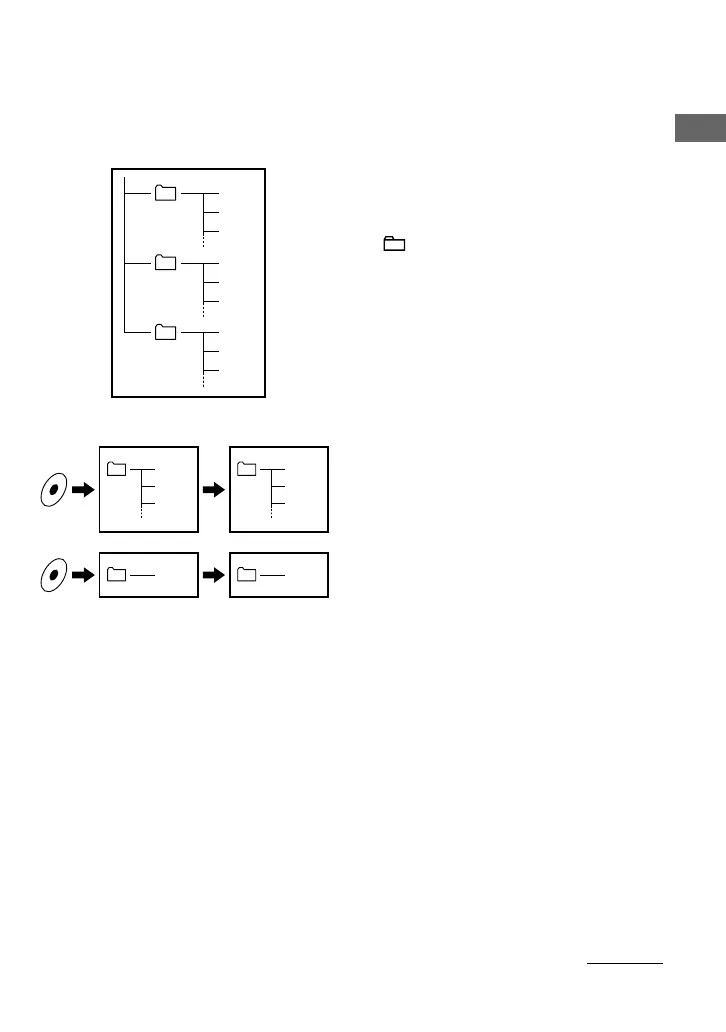
What is the Group function?
The Group function enables you to select favorite music conveniently on your Network
Walkman. You can transfer to audio files or play songs by album or artist using the Group
function.
Tra ck1
Group1
Tra ck2
Tra ck3
Tra ck1
Tra ck2
Tra ck3
Tra ck1
Tra ck2
Tra ck3
Group2
Group3
Tra ck1
Tra ck2
Tra ck3
Tra ck1
Tra ck1
Tra ck2
Tra ck3
Tra ck1
• The track number is the order of songs in each
group.
• You can switch from Track Name mode to Group
mode by setting the GROUP/HOLD switch to
(GROUP).
• In the Group mode, group names are displayed
instead of track names. In addition, any shift
operations, such as Skip or Repeat, are performed
by group.
Transferring by group
The audio files transferred to the SonicStage
software are always grouped when transferred to
the built-in flash memory.
continued



 To Next Page