26
B
Adjusting the settings of
your Network Walkman
3 Press the .–/+> button to
adjust the “year” setting and
press the Nx button to confirm.
The “month” digit blinks.
2005y 1m 1d
4 As you did in step 3, adjust the
settings for “month” and “date.”
After pressing the .–/+> button
to adjust the “date” setting and pressing
the Nx button to confirm, the display
switches to the time setting screen.
1:00
5 Press the .–/+> button to
adjust the “hour” setting and
press the Nx button to confirm.
The “minute” digit blinks.
1:00
6 As you did in step 5, adjust the
settings for “minute.”
After pressing the .–/+> button
to adjust the “minute” setting and
pressing the Nx button to confirm, the
display switches to the time setting
screen.
DAT E-T IME
7 Press the MENU button.
The display returns to the normal screen.
Adjusting the
current time
setting
(DATE-TIME)
You can set and display the current time.
1 Press the MENU button.
The menu screen is displayed.
REPEATMODE>
2 Press the .–/+> button to
select “DATE-TIME” and press the
Nx button to confirm.
The “year” digit blinks.
2005y 1m 1d
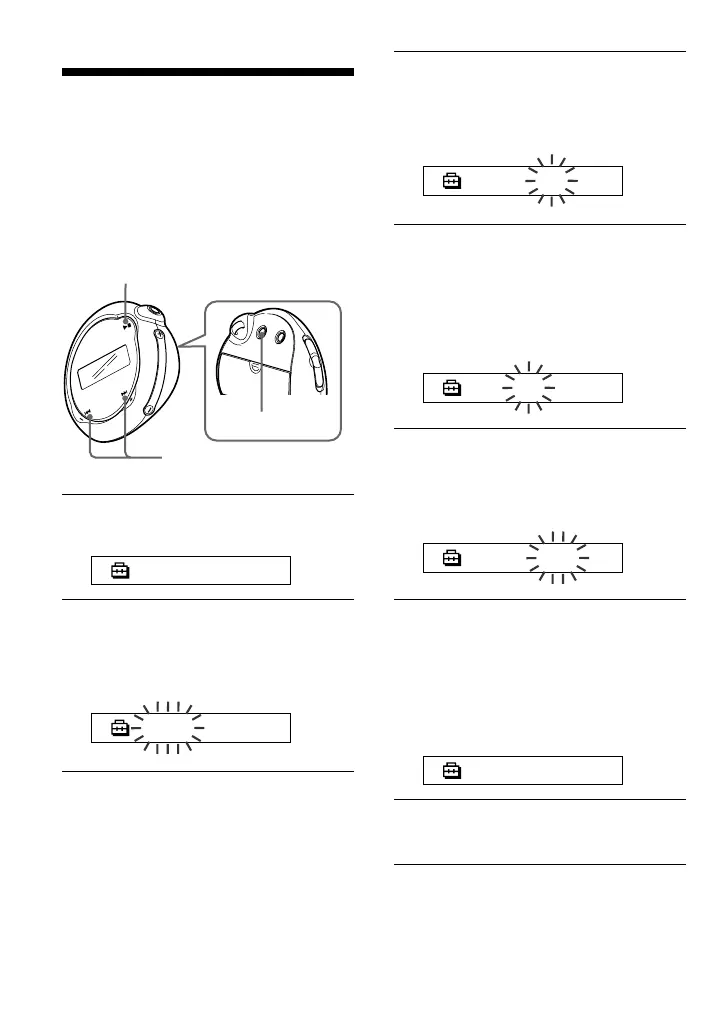
Nx button
MENU button
.–/+> button



 To Next Page