EasyManua.ls Logo

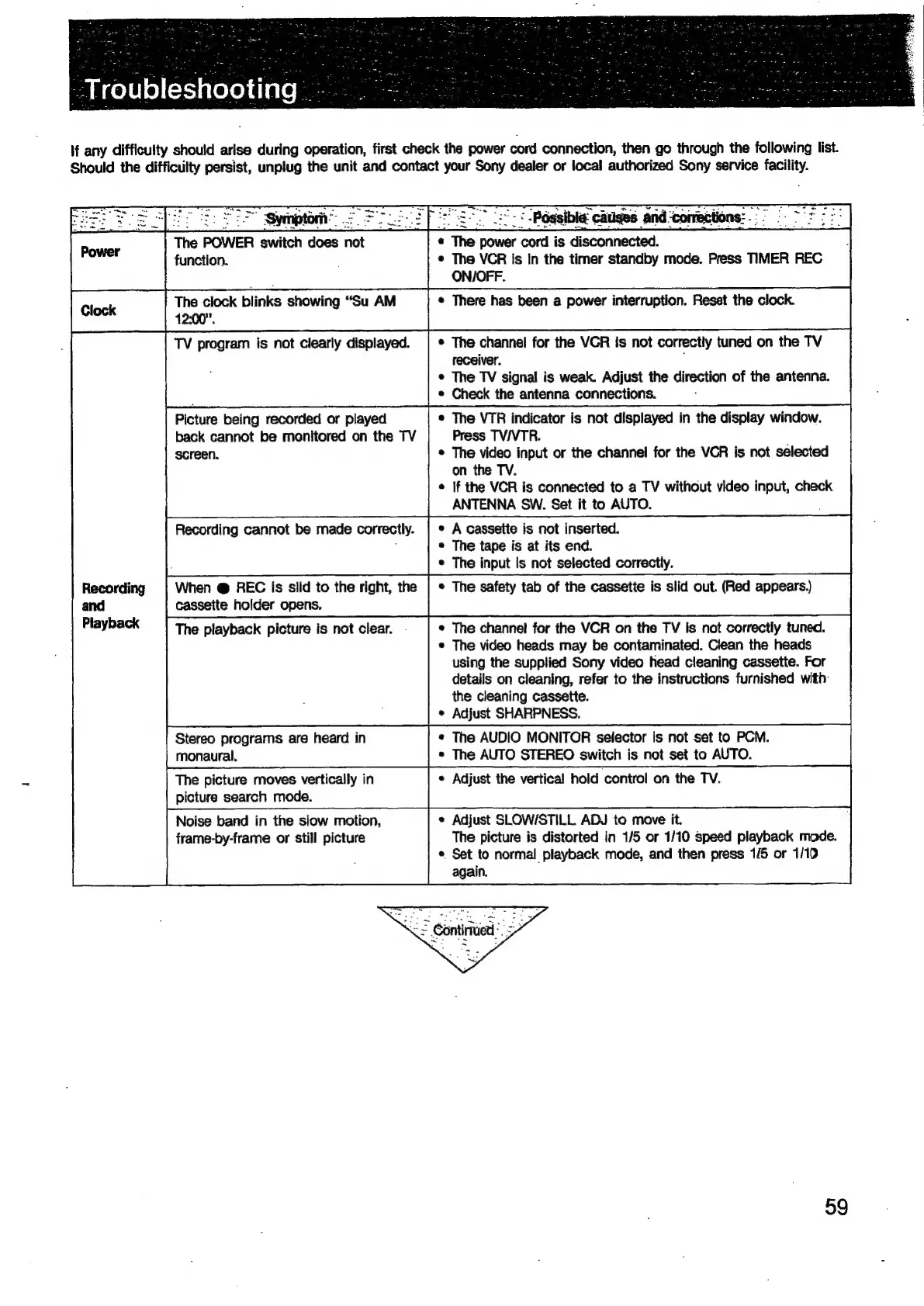
Sony EV-S900 - Power and Clock Issues; Recording and Playback Problems

Sony EV-S900
60 pages
Print Icon
To Next Page IconTo Next Page
To Previous Page IconTo Previous Page
Loading...
If
any
difficulty
should
arise
during
operation,
first
check
the
power
cord
connection,
then
go
through
the
following
list.
Should
the
difficulty
persist,
unplug
the
unit
and
contact
your
Sony
dealer
or
local
authorized
Sony
service
facility.
The
POWER
switch
does
not
e
*
The
ae
is
aiSconnectoll:
function.
*
The
VCR
Is in
the
timer
standby
mode.
Press
TIMER
REC
ON/OFF.
[ioc
|
The
clock
blinks
showing
“Su
AM
«
There
has
been
a
power
interruption.
Reset
the
clock.
12:00”.
TV
program
is
not
clearly
displayed.
|
*
The
channel
for
the
VCR
is
not
correctly
tuned
on
the
TV
receiver.
;
*
The
TV
signal
is
weak.
Adjust
the
direction
of
the
antenna.
e
Check
the
antenna
connections.
Picture
being
recorded
or
played
*
The
VTR
indicator
is
not
displayed
in
the
display
window.
back
cannot
be
monitored
on
the
TV
Press
TVIVTR.
screen.
The
video
input
or
the
channel
for
the
VCR
is
not
selected
on
the
TV.
¢
If
the
VCR
is
connected
to
a
TV
without
video
input,
check
ANTENNA
SW.
Set
it
to
AUTO.
Recording
cannot
be
made
correctly.
|
*
A
cassette
is
not
inserted.
e
The
tape
is
at
its
end.
e
The
input
Is
not
selected
correctly.
Recording
When
@
REC
is
slid
to
the
right,
the
|
*
The
safety
tab
of
the
cassette
is
slid
out.
(Red
appears)
cassette
holder
opens.
The
playback
picture
is
not
clear.
.
¢
The
channel
for
the
VCR
on
the
TV
is
not
correctly
tuned.
*
The
video
heads
may
be
contaminated.
Clean
the
heads
using
the
supplied
Sony
video
head
cleaning
cassette.
For
details
on
cleaning,
refer
to
the
instructions
furnished
with:
the
cleaning
cassette.
¢
Adjust
SHARPNESS.
Stereo
programs
are
heard
in
*
The
AUDIO
MONITOR
selector
Is
not
set
to
PCM.
monaural.
*
The
AUTO
STEREO
switch
is
not
set
to
AUTO.
The
picture
moves
vertically
in
¢
Adjust
the
vertical
hold
control
on
the
TV.
picture
search
mode.
Noise
band
in
the
slow
motion,
¢
Adjust
SLOW/STILL
ADJ
to
move
it.
frame-by-frame
or
still
picture
The
picture
is
distorted
in
1/5
or
1/10
speed
playback
mode.
«
Set
to
normal
playback
mode,
and
then
press
1/5
or
1/10
again.
59

Related product manuals