EasyManua.ls Logo

Sony EV-S900 - Playback Operations; Selecting Monitor Sound

Sony EV-S900
60 pages
Print Icon
To Next Page IconTo Next Page
To Previous Page IconTo Previous Page
Loading...
W
KYA
AN
AS
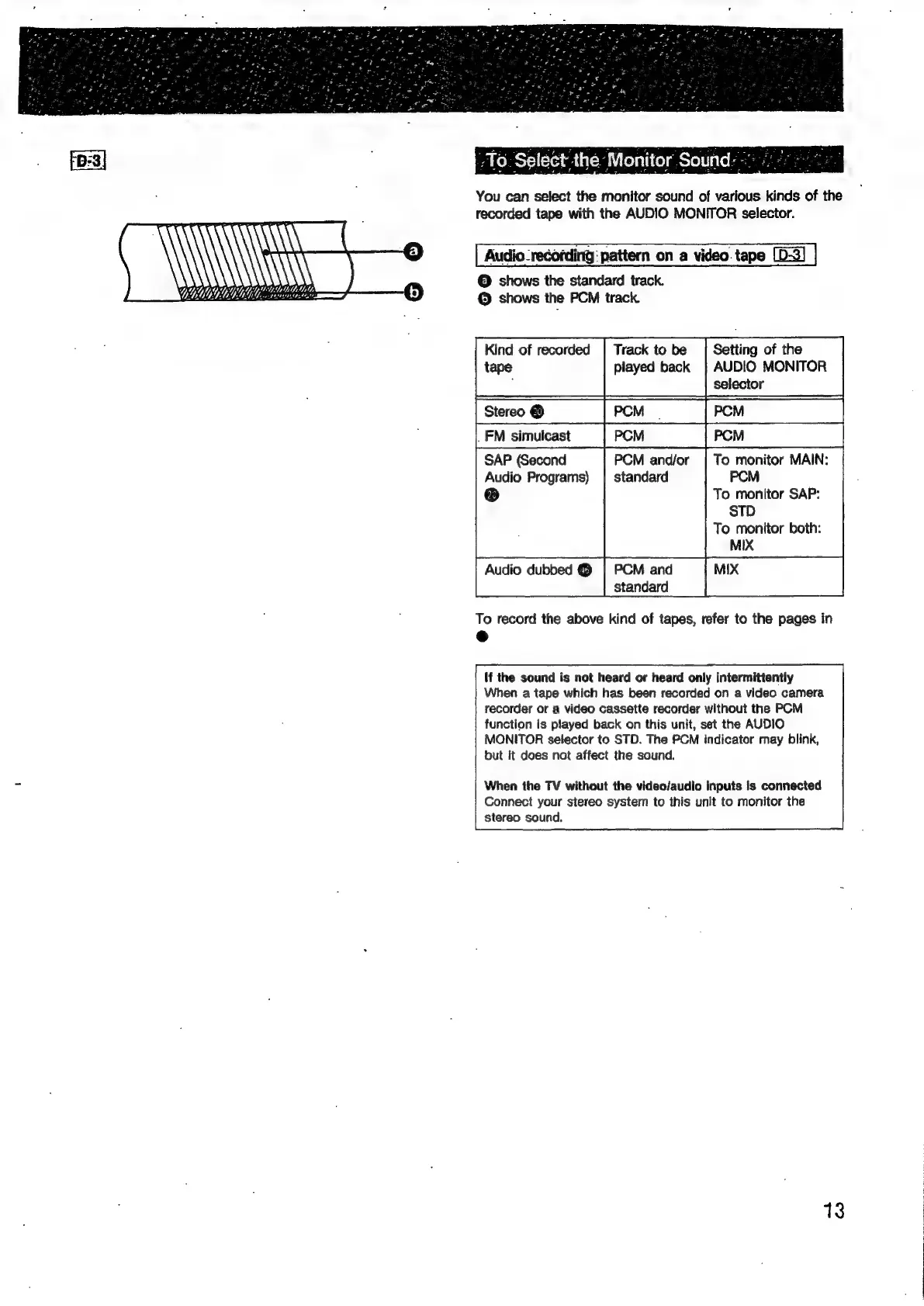
You
can
select
the
monitor
sound
of
various
kinds
of
the
recorded
tape
with
the
AUDIO
MONITOR
selector.
°
shows
the
standard
track.
©
shows
the
PCM
track.
Kind
of
recorded
|
Track
to
be
|
Setting
of
the
played
back
|
AUDIO
MONITOR
selector
[siewo@
[Pow
[pow
SAP
(Gecond
Audio
Programs)
To
monitor
MAIN:
PCM
To
monitor
SAP:
STD
To
monitor
both:
MIX
Audio
dubbed
@
|
PCM
and
MIX
standard
To
record
the
above
kind
of
tapes,
refer
to
the
pages
in
e
PCM
and/or
standard
lf
the
sound
is
not
heard
or
heard
only
intermittently
When
a
tape
which
has
been
recorded
on
a
video
camera
recorder
or
a
video
cassette
recorder
without
the
PCM
function
is
played
back
on
this
unit,
set
the
AUDIO
MONITOR
selector
to
STD.
The
PCM
indicator
may
blink,
but
It
does
not
affect
the
sound.
When
the
TV
without
the
video/audio
inputs
is
connected
Connect
your
stereo
system
to
this unit
to
monitor
the
stereo
sound,
13

Related product manuals