EasyManua.ls Logo

Sony EV-S900 - Standard Playback Controls; Advanced Speed Playback Controls

Sony EV-S900
60 pages
Print Icon
To Next Page IconTo Next Page
To Previous Page IconTo Previous Page
Loading...
14
Using
the
But
-
Commander
‘Still
picture
(playback
pause)
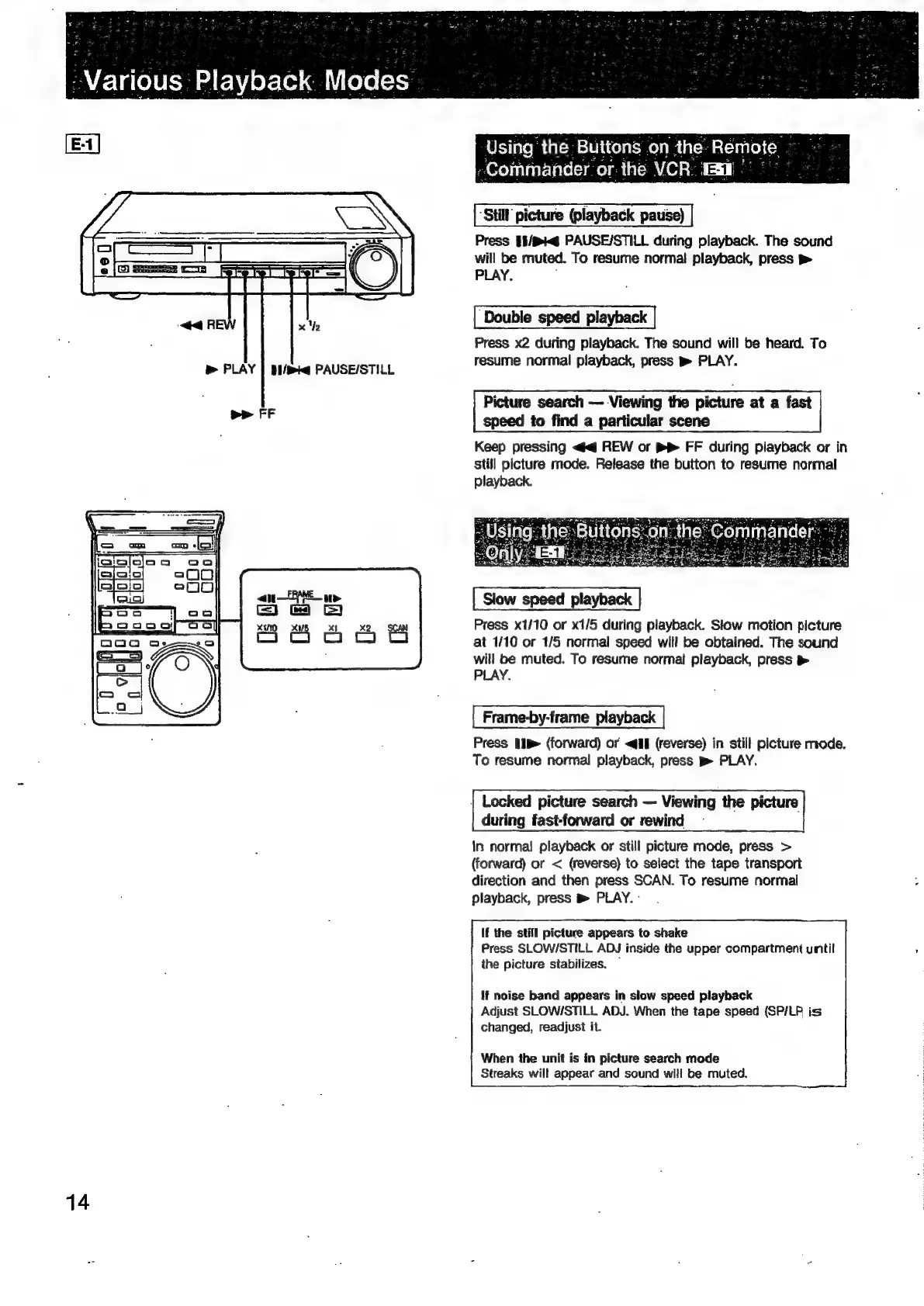
Press
1$/B@
PAUSE/STILL
during
playback.
The
sound
will
be
muted.
To
resume
normal
playback,
press
»
PLAY.
;
Double
speed
playback
Press
x2
during
playback.
The
sound
will
be
heard.
To
resume
normal
playback,
press
pm
PLAY.
Picture
search
Viewing
the
picture
at
a
fast
speed
to
find
a
particular
scene
Keep
pressing
<q
REW
or
p>
FF
during
playback
or
in
Still
picture
mode.
Release
the
button
to
resume
normal
playback.
Only.
EA
Sie
aes
Slow
speed
playback
Press
x1/10
or
x1/5
during
playback.
Slow
motion
picture
at
1/10
or
1/5
normal
speed
will
be
obtained.
The
sound
will
be
muted.
To
resume
normal
playback,
press
>
PLAY.
Frame-by-frame
playback
Press
Ip»
(forward)
or
<@if
(reverse)
in
still
picture
mode.
To
resume
normal
playback,
press
PLAY.
|
Locked
picture
search
Viewing
the
picture
during
fast-forward
or
rewind
In
norma!
playback
or
still
picture
mode,
press
>
(forward)
or
<
(reverse)
to
select
the
tape
transport
direction
and
then
press
SCAN.
To
resume
normal
playback,
press
m
PLAY.
-
If
the
still
picture
appears
to
shake
Press
SLOW/STILL
ADJ
inside
the
upper
compartment
until
ihe
picture
stabilizes.
If
noise
band
appears
in
slow
speed
playback
Adjust
SLOW/STILL
ADJ.
When
the
tape
speed
(SP/LP
is
changed,
readjust
it.
When
the
unit
is
in
picture
search
mode
Streaks
will
appear
and
sound
will
be
muted.

Related product manuals