EasyManua.ls Logo

Sony EV-S900 - Various Playback Modes; JOG Dial and SHUTTLE Ring Operation

Sony EV-S900
60 pages
Print Icon
To Next Page IconTo Next Page
To Previous Page IconTo Previous Page
Loading...
_
SOGSHUTTLE,
7
j
\
‘Using-the
JOG
‘dial
and
SHUTTLE
ring
1
Set
the
unit
to
the
still
picture
mode.
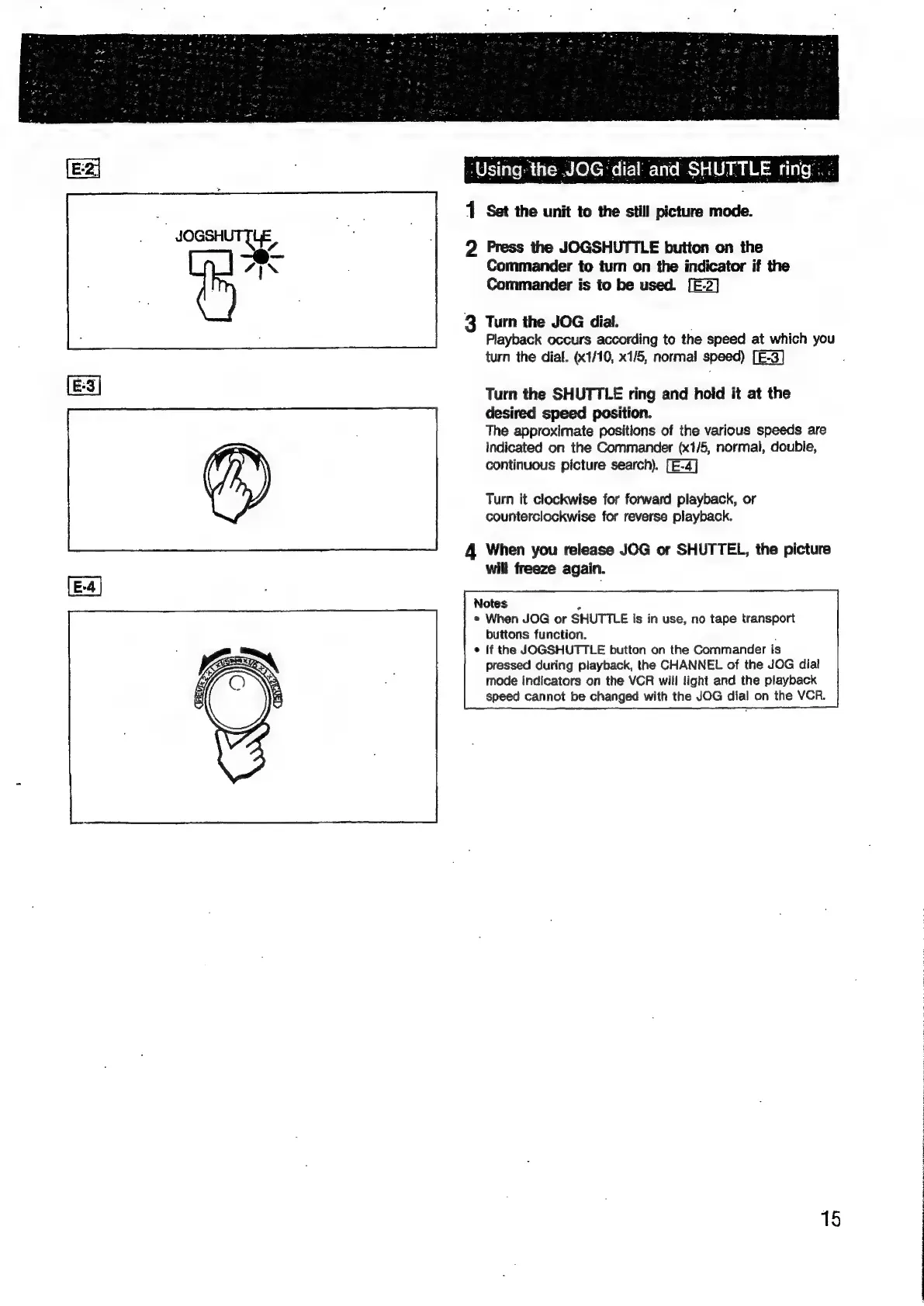
2
Press
the
JOGSHUTTLE
button
on
the
Commander
to
tum
on
the
indicator
if
the
Commander
is
to
be
used.
[E-2]
3
Turn
the
JOG
dial.
.
Playback
occurs
according
to
the
speed
at
which
you
turn
the
dial.
(x1/10,
x1/5,
normal
speed)
[E-3]
Turn
the
SHUTTLE
ring
and
hold
it
at
the
desired
speed
position.
The
approximate
positions
of
the
various
speeds
are
Indicated
on
the
Commander
(x1/5,
normal,
double,
continuous
picture
search).
Turn
it
clockwise
for
forward
playback,
or
counterclockwise
for
reverse
playback.
4
When
you
release
JOG
or
SHUTTEL,
the
picture
will
freeze
again.
Notes
2
e
When
JOG
or
SHUTTLE
Is
in
use,
no
tape
transport
buttons
function.
;
If
the
JOGSHUTTLE
button
on
the
Commander
is
pressed
during
playback,
the
CHANNEL
of
the
JOG
dial
mode
indicators
on
the
VCR
will
light
and
the
playback
speed
cannot
be
changed
with
the
JOG
dial
on
the
VCR.
15

Related product manuals