EasyManua.ls Logo

Sony EV-S900 - Indexing Tape Contents

Sony EV-S900
60 pages
Print Icon
To Next Page IconTo Next Page
To Previous Page IconTo Previous Page
Loading...
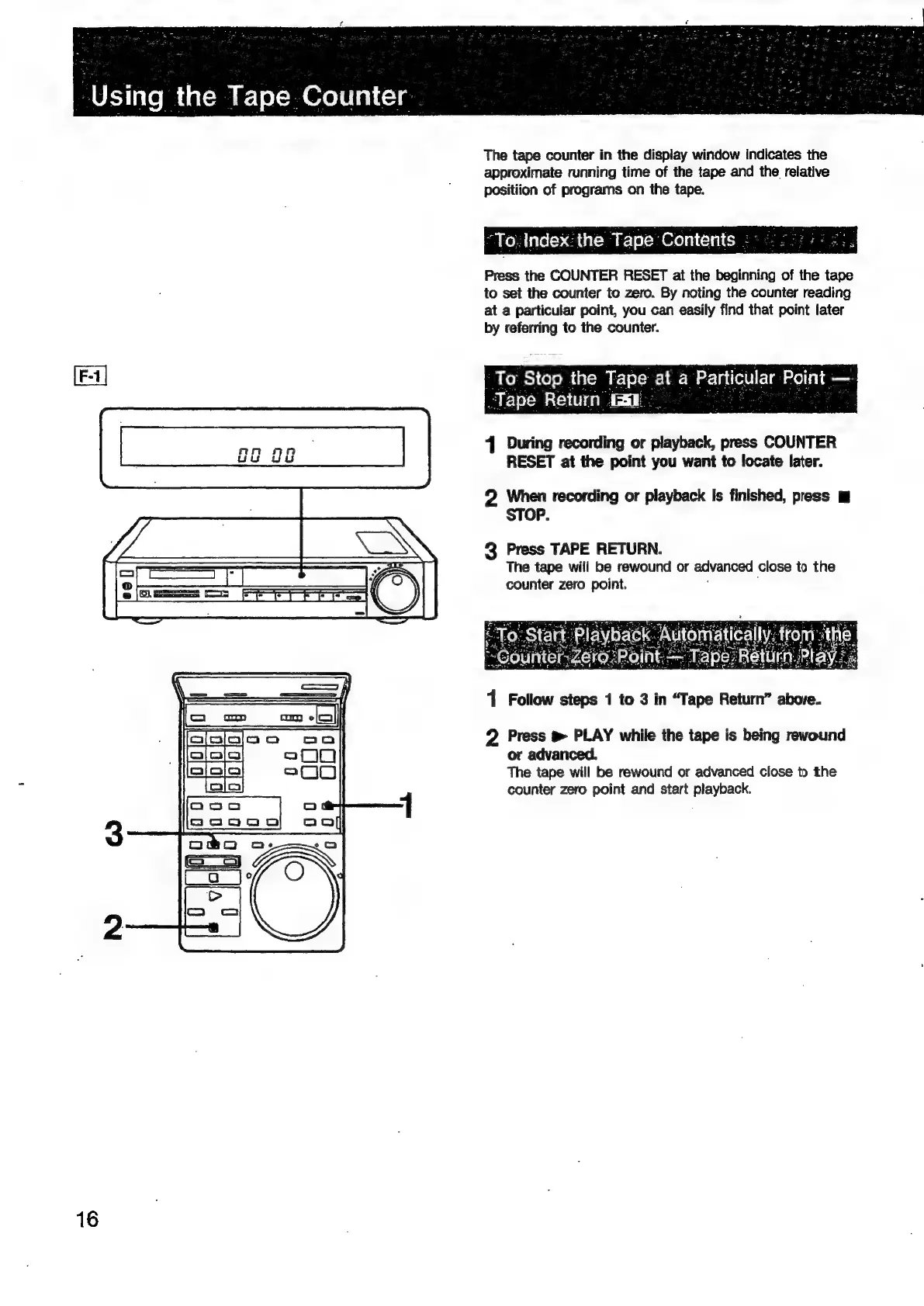
The
tape
counter
in
the
display
window
indicates
the
approximate
running
time
of
the
tape
and
the
relative
positiion
of
programs
on
the
tape.
“To.
Index:the
Tape
Contents
-
Press
the
COUNTER
RESET
at
the
beginning
of
the
tape
to
set
the
counter
to
zero.
By
noting
the
counter
reading
at
a
particular
point,
you
can
easily
find
that
point
later
by
referring
to
the
counter.
To
Stop
the
yare
at
a
Particular
F
Point.
-Tape
Return
ia.
Pearse
sa
4
During
recording
or
playback,
press
COUNTER
RESET
at
the
point
you
want
to
locate
later.
2
When
recording
or
playback
Is
finished,
press
m
STOP.
3
Press
TAPE
RETURN.
The
tape
will
be
rewound
or
advanced
close
to
the
counter
zero
point.
1
Follow
steps
1
to
3
in
“Tape
Return”
above.
2
Press
®
PLAY
while
the
tape
is
being
rewound
or
advanced.
The
tape
will
be
rewound
or
advanced
close
to
the
counter
zero
point
and
start
playback.
16

Related product manuals