EasyManua.ls Logo

Sony EV-S900 - Using the Tape Counter; Checking Remaining Tape Time

Sony EV-S900
60 pages
Print Icon
To Next Page IconTo Next Page
To Previous Page IconTo Previous Page
Loading...
Recording
or
‘Playback
|
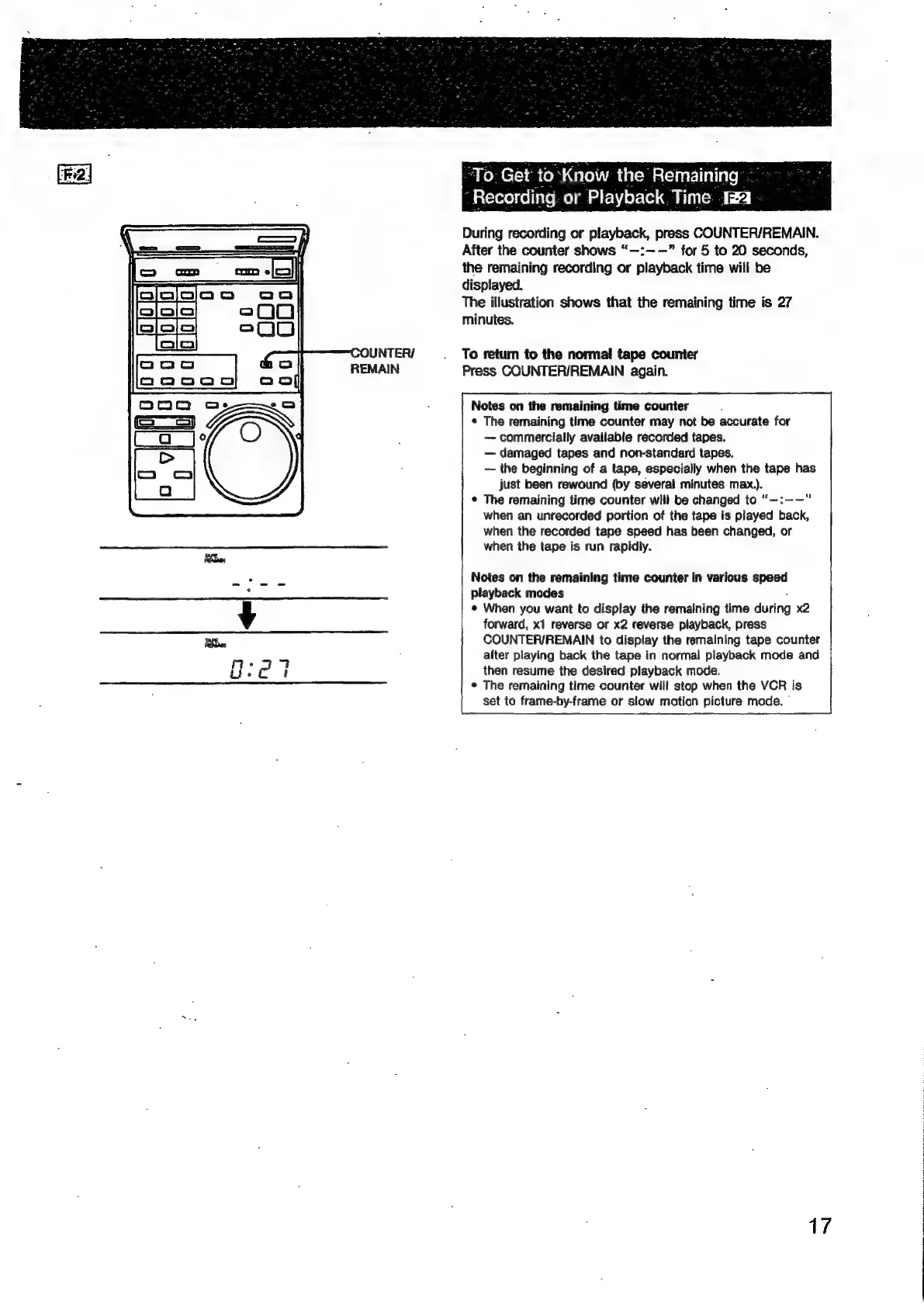
During
recording
or
playback,
press
COUNTER/REMAIN.
After
the
counter
shows
“—:——”
for
5
to
20
seconds,
the
remaining
recording
or
playback
time
will
be
displayed.
The
illustration
shows
that
the
remaining
time
is
27
minutes.
To
return
to
the
normal
tape
counter
Press
COUNTER/REMAIN
again.
Notes
on
the
remaining
time
counter
¢
The
remaining
time
counter
may
not
be
accurate
for
commercially
available
recorded
tapes.
damaged
tapes
and
non-standard
tapes.
the
beginning
of
a
tape,
especially
when
the
tape
has
just
been
rewound
(by
several
minutes
max.).
The
remaining
time
counter
will
be
changed
to
‘“~:--—
when
an
unrecorded
portion
of
the
tape
is
played
back,
when
the
recorded
tape
speed
has
been
changed,
or
when
the
tape
is
run
rapidly.
Notes
on
the
remaining
time
counter
in
various
speed
playback
modes
®
When
you
want
to
display
the
remaining
time
during
x2
forward,
x1
reverse
or
x2
reverse
playback,
press
COUNTER/REMAIN
to
display
the
remaining
tape
counter
after
playing
back
the
tape
in
normal
playback
mode
and
then
resume
the
desired
playback
mode.
®
The
remaining
time
counter
will
stop
when
the
VCR
is
set
to
frame-by-frame
or
slow
motion
picture
mode.
|
17

Related product manuals