EasyManua.ls Logo

Sony EV-S900 - Ejecting a Cassette

Sony EV-S900
60 pages
Print Icon
To Next Page IconTo Next Page
To Previous Page IconTo Previous Page
Loading...
Handling
the
Cassette
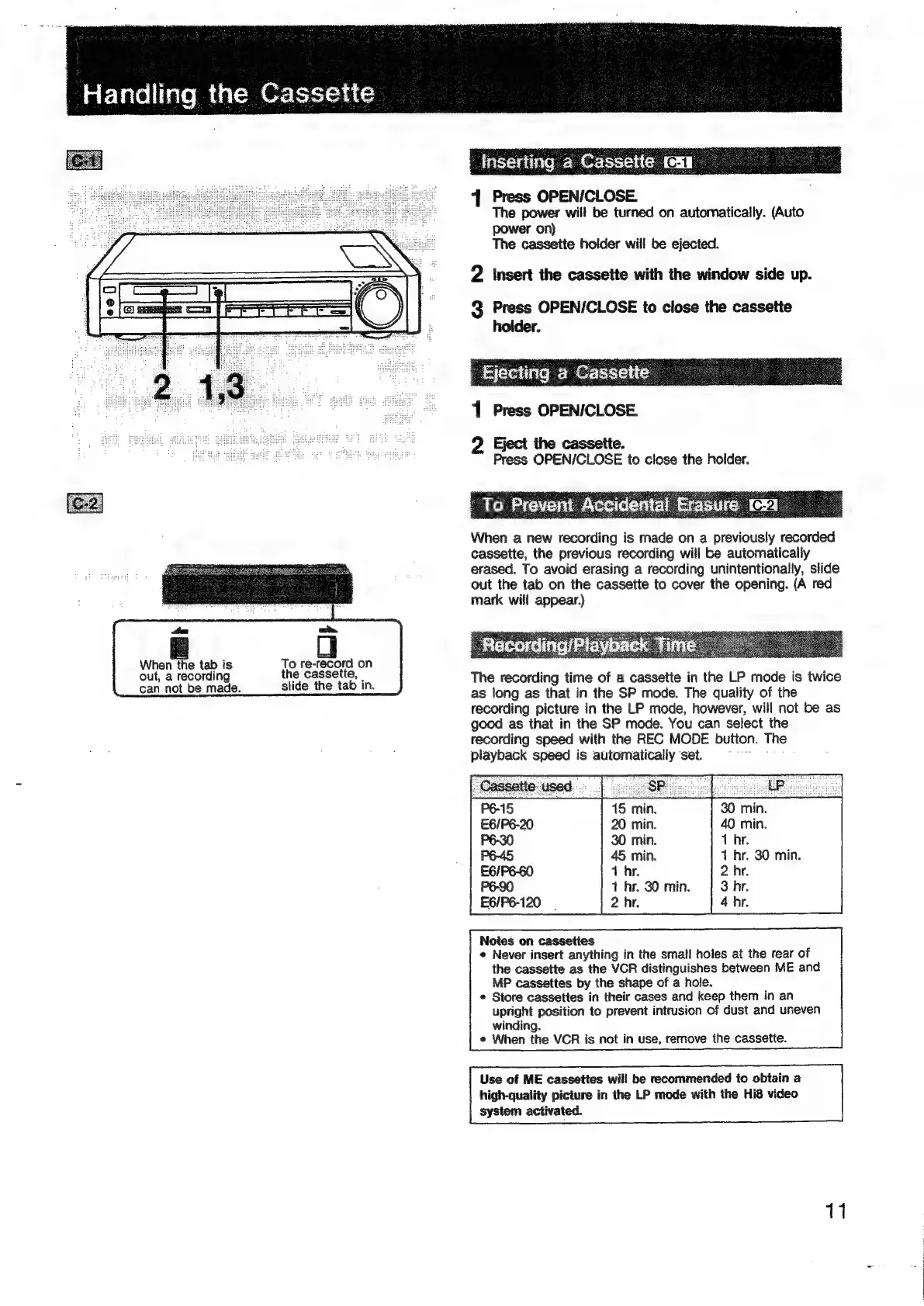
Inserting
a
Cas
1
Press
OPEN/CLOSE
The
power
will
be
turned
on
automatically.
(Auto
power
on)
The
cassette
holder
will
be
ejected.
2
insert
the
cassette
with
the
window
side
up.
3
Press
OPEN/CLOSE
to
close
the
cassette
holder.
‘Ejecting
a
Cassette
1
Press
OPEN/CLOSE.
Eject
the
cassette.
Press
OPEN/CLOSE
to
close
the
holder.
To
Prevent
When
a
new
recording
is
made
on
a
previously
recorded
cassette,
the
previous
recording
will
be
automatically
erased.
To
avoid
erasing
a
recording
unintentionally,
slide
out
the
tab
on
the
cassette
to
cover
the
opening.
(A
red
mark
will
appear.)
tm
oot.
When
the
tab
is
To
re-record
on
Peed
out,
a
recording
the
cassette,
The
recording
time
of
a
cassette
in
the
LP
mode
is
twice
can
not
be
made.
sige
ee
as
long
as
that
in
the
SP
mode.
The
quality
of
the
recording
picture
in
the
LP
mode,
however,
will
not
be
as
good
as
that
in
the
SP
mode.
You
can
select
the
recording
speed
with
the
REC
MODE
button.
The
playback
speed
is
automatically
‘set.
oe
Noies
on
casseties
«
Never
insert
anything
in
the
small
holes
at
the
rear
of
the
cassette
as
the
VCR
distinguishes
between
ME
and
MP
cassettes
by
the
shape
of
a
hole.
*
Store
cassettes
in
their
cases
and
keep
them
in
an
upright
position
to
prevent
intrusion
of
dust
and
uneven
winding.
¢
When
the
VCR
is
not
in
use,
remove
the
cassette.
Use
of
ME
cassettes
will
be
recommended
to
obtain
a
high-quality
picture
in
the
LP
mode
with
the
Hi8
video
system
activated.
11

Related product manuals