[86] How to Use Using the Wi-Fi function Controlling other cameras through this
product
Editing images recorded with several cameras
By importing images recorded with several cameras to a computer, you can edit PinP
(Picture in Picture; an image with an inset window of another image) clips, etc.
Installing PlayMemories Home
To edit PinP clips, etc., you need to install PlayMemories Home on your computer.
PlayMemories Home can be installed from the following URL.
http://www.sony.net/pm/
[87] How to Use Menu operations Using menu items
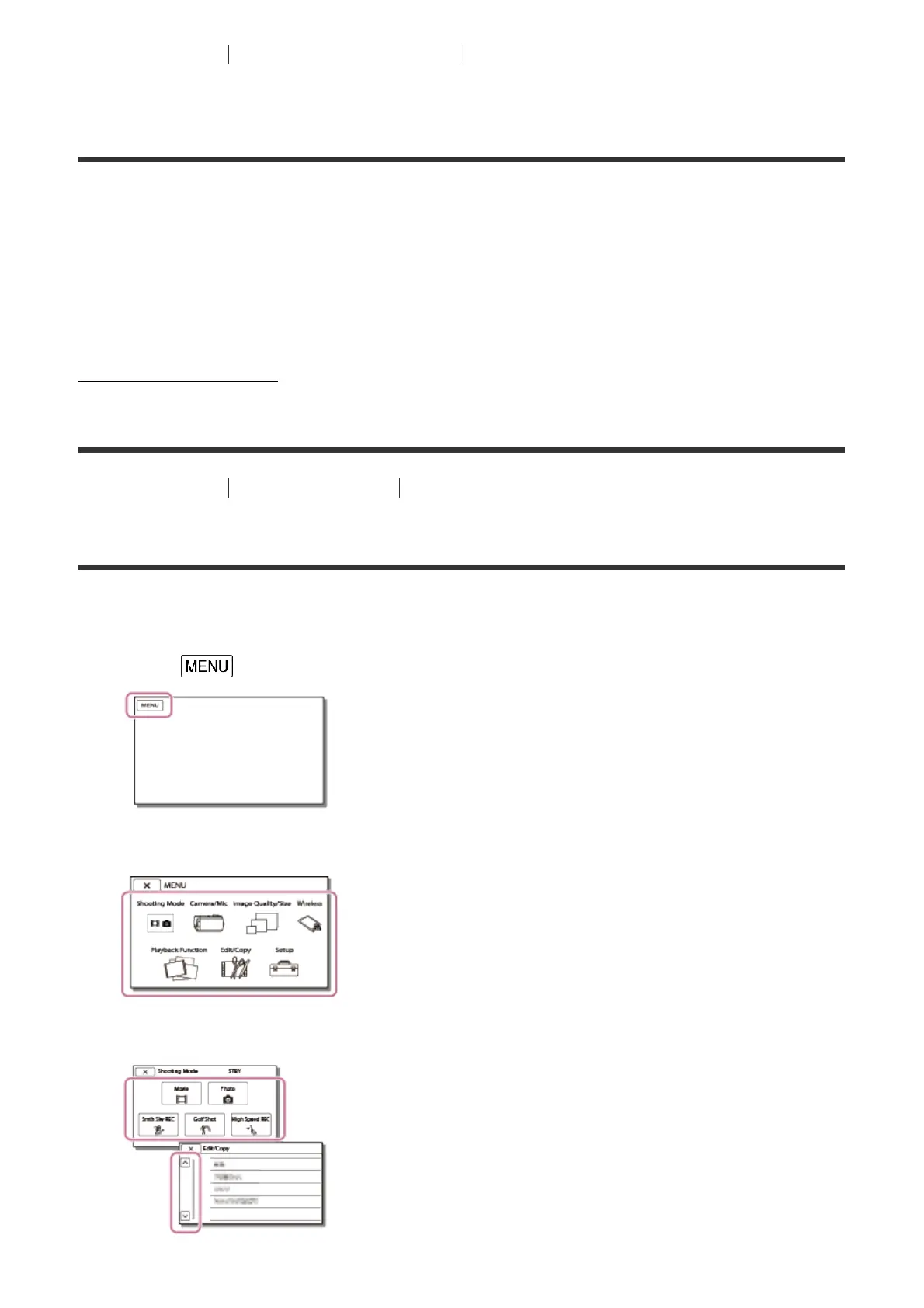
Setting up menu items
This product has various menu items under each of 7 menu categories.
1. Select .
2. Select a category.
3. Select your desired menu item.



 To Next Page