The USB connection support cable is designed for use with this product only. Use this
cable when the Built-in USB Cable of this product is too short for connection.
[9] How to Use Getting started Power source preparations
Attaching the battery pack
Attach the battery pack to this product.
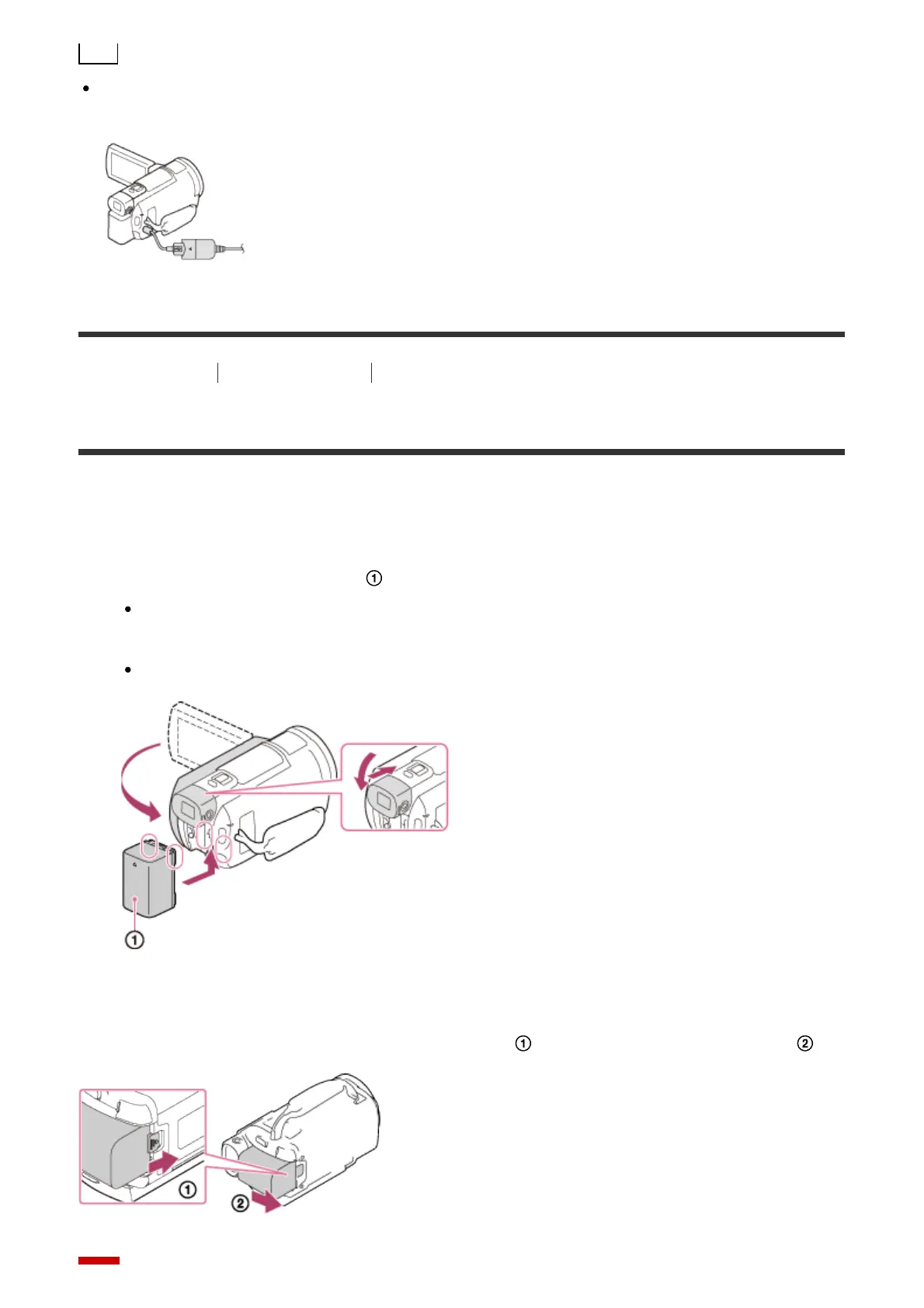
1. Close the LCD monitor and retract the viewfinder (models with the Viewfinder), and
then attach the battery pack ( ).
Align the indentation on this product and projection on the battery pack, then slide
the battery pack upwards.
When the viewfinder (models with the Viewfinder) is pulled out, retract it.
To remove the battery pack
Turn off this product. Slide the battery release lever ( ) and remove the battery pack ( ).



 To Next Page