You can play movies created in the Highlight Movie Maker.
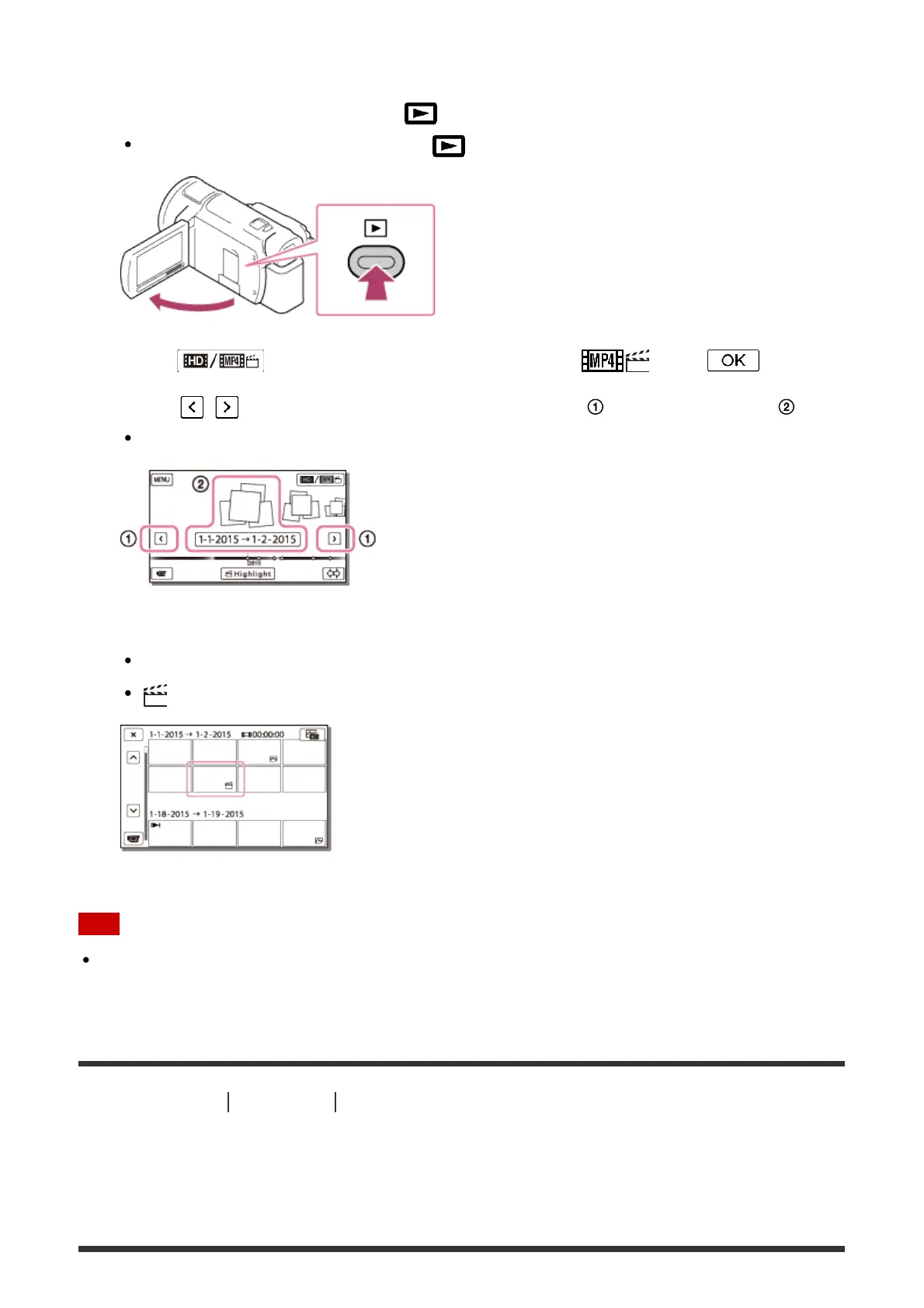
1. Open the LCD monitor and press (View Images) to enter the playback mode.
You can also operate by selecting (View Images) on the LCD monitor.
2. Select at the top right corner of the screen - MP4 - .
3. Select / to move the desired event to the center ( ) and then select it ( ).
Highlight movies are saved with the date it was created on.
4. Select the image.
This product plays from the selected image to the last image in the event.
is displayed in the lower right corner of the highlight movie thumbnail.
Note
To prevent your image data from being lost, save all your highlight movies on external
media periodically.
[36] How to Use
Playback Playing MP4 movies (HD movie) (switching the movie
format)
Playing MP4 movies (HD movie) (switching the movie
format)



 To Next Page