GB
43
Saving images
One-touch connection
with an Android
supporting NFC
• Cancel the sleep mode or unlock
the screen on the smartphone
beforehand.
• Make sure that is displayed
on the LCD monitor of the
camcorder and the smartphone.
• Continue touching the
smartphone to the camcorder
without moving until
PlayMemories Mobile starts (1 to
2 seconds).
•If the camcorder cannot be
connected with the smartphone
by NFC, see “Connecting to a Wi-
Fi network using the QR Code”
(page 43).
Connecting to a Wi-Fi
network using the QR
Code
Using your smartphone
as a wireless remote
commander
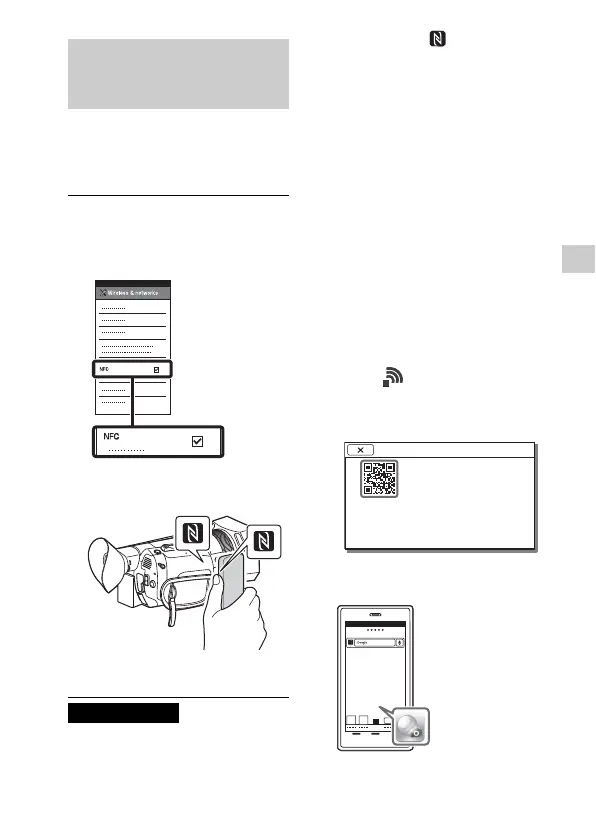
1
On the smartphone, select
[Settings], then, select
[More] to check that [NFC] is
enabled.
2
Touch the smartphone on
the camcorder.
3
Operate the connected
smartphone.
Notes
1
Press the MENU button
select (NETWORK SET)
[CTRL W/SMARTPHONE].
•
The QR Code, SSID, and
Password are displayed.
2
Start up PlayMemories
Mobile.
CTRL W/SMARTPHONE
Operate the smartphone to
scan the QR Code with
PlayMemories Mobile.
SSID DIRECT-xxxx: FDR-xxxxx
Password xxxxxxxx
Device Name FDR-xxxxx



 To Next Page