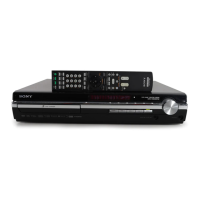
HCD-HDX285/HDX287WC/HDX585/HDX587WC/HDX589W/HDX685/HDX686W
9
SECTION 2
GENERAL
This section is extracted
from instruction manual.
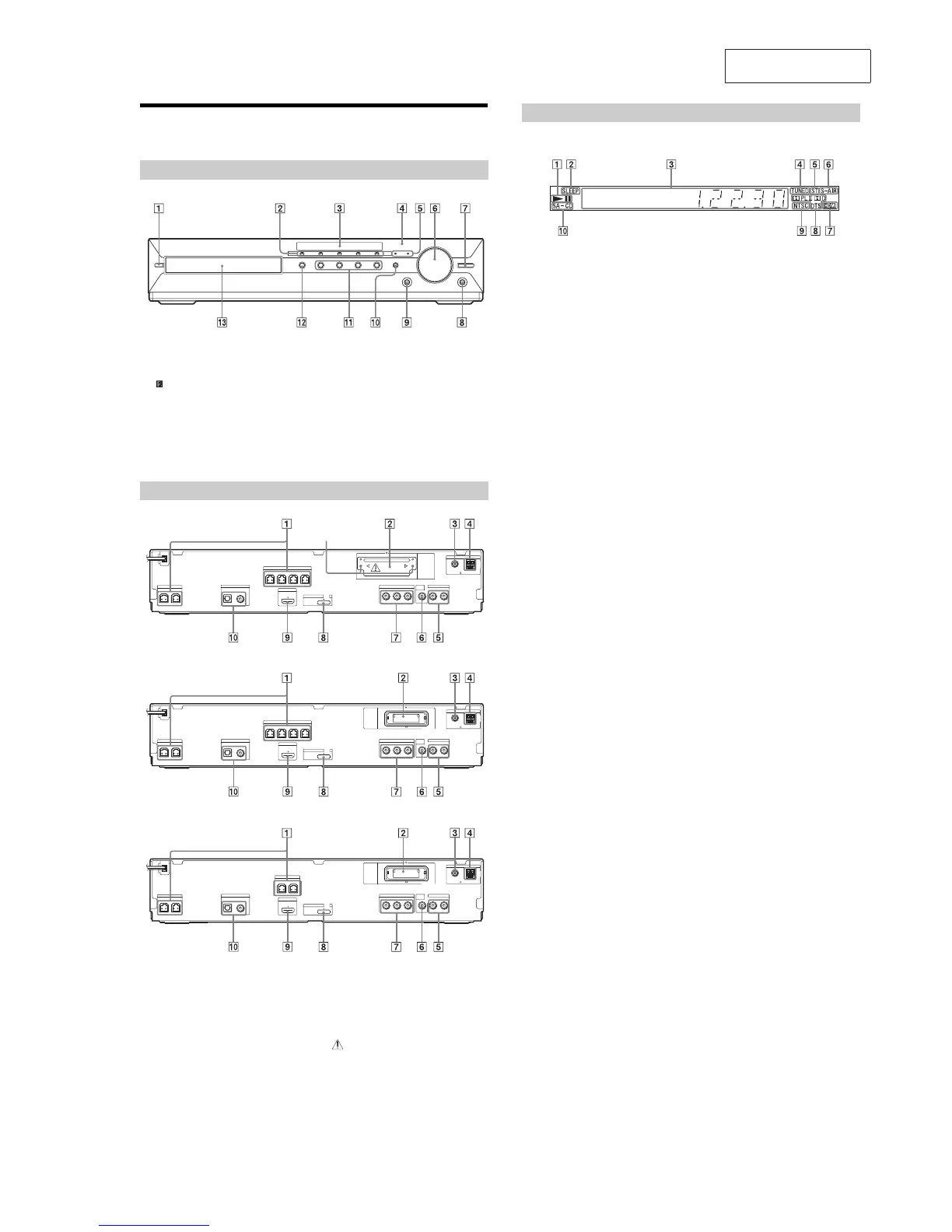
Index to Parts and Control
For more information, refer to the pages indicated in parentheses.
" / (on/standby)
# DISC 1-5 buttons/indicators
$ Front panel display
% (remote sensor)
& MOVIE/MUSIC indicator
' VOLUME control
( DMPORT BOOSTER
) PHONES jack
* AUDIO IN/A.CAL MIC jack
+ FUNCTION
, Play operation buttons
- ; (open/close)
. Disc tray
Front panel
" SPEAKER jacks
# EZW-T100 slot (HDX285/HDX585/HDX685)
# EZW-RT10 slot (HDX287WC/HDX587WC/
HDX589W/HDX686W)
$ COAXIAL 757 FM jack
% AM terminal
& TV/VIDEO (AUDIO IN R/L) jacks
' VIDEO OUT jack
( COMPONENT VIDEO OUT jacks
) DMPORT (DIGITAL MEDIA PORT) jack
* HDMI OUT jack
+ TV/VIDEO (DIGITAL IN COAXIAL/
OPTICAL) jacks
* CAUTION
Please do not remove the screws unless you
are installing the EZW-T100.
Rear panel
CENTER
SUBWOOFER
FRONT R FRONT L SUR R SUR L
SPEAKER
HDMI OUT
SPEAKER
COAXIAL 75
AM
FM
ANTENNA
DMPORT
DC5V
0.7A MAX
AUDIO IN
P
B
/C
B
P
R
/C
R
Y
LR
VIDEO
OUT
TV/VIDEO
COMPONENT VIDEO OUT
EZW-T100
DIGITAL IN
COAXIALOPTICAL
TV
Screws*
(HDX285/HDX585/HDX685)
(HDX287WC/HDX587WC)
(HDX589W/HDX686W)
CENTER
SUBWOOFER
FRONT R FRONT L SUR R SUR L
SPEAKER
HDMI OUT
SPEAKER
COAXIAL 75
AM
FM
ANTENNA
DMPORT
DC5V
0.7A MAX
AUDIO IN
P
B
/C
B
P
R
/C
R
Y
LR
VIDEO
OUT
TV/VIDEO
COMPONENT VIDEO OUT
DIGITAL IN
COAXIALOPTICAL
TV
EZW-RT10
CENTER
SUBWOOFER
FRONT R FRONT L
SPEAKER
HDMI OUT
SPEAKER
COAXIAL 75
AM
FM
ANTENNA
DMPORT
DC5V
0.7A MAX
AUDIO IN
P
B
/C
B
P
R
/C
R
Y
LR
VIDEO
OUT
TV/VIDEO
COMPONENT VIDEO OUT
DIGITAL IN
COAXIALOPTICAL
TV
EZW-RT10
About the indications in the front panel display
" Playing status
# Flashes when the sleep timer is set.
$ Displays the system’s status such as
chapter, title, or track number, time
information, radio frequency, playing
status, decoding mode, etc.
% Lights up when a station is received.
(Radio only)
& Stereo/Monaural effect (Radio only)
' Lights up when the S-AIR transmitter
(not supplied) is inserted in the unit
and the system transmits the sound.
( Lights up when the HDMI OUT jack is
correctly connected to HDCP (High-
bandwidth Digital Content Protection)
compliant device with HDMI or DVI
(Digital Visual Interface) input.
) Current surround format (Except for
JPEG image file)
* Lights up when the color system is set
to NTSC. (Asian, Australian, and Middle
Eastern models only)
+ Lights up when a Super Audio CD/CD
is loaded.
Front panel display


 To Next Page