10
US
HT-G700
5-013-058-11(1)
C:\FY20HT_models\SB1\ANKI\UC2\01US-HTZ9FUC2\030PAC.fm masterpage: Left
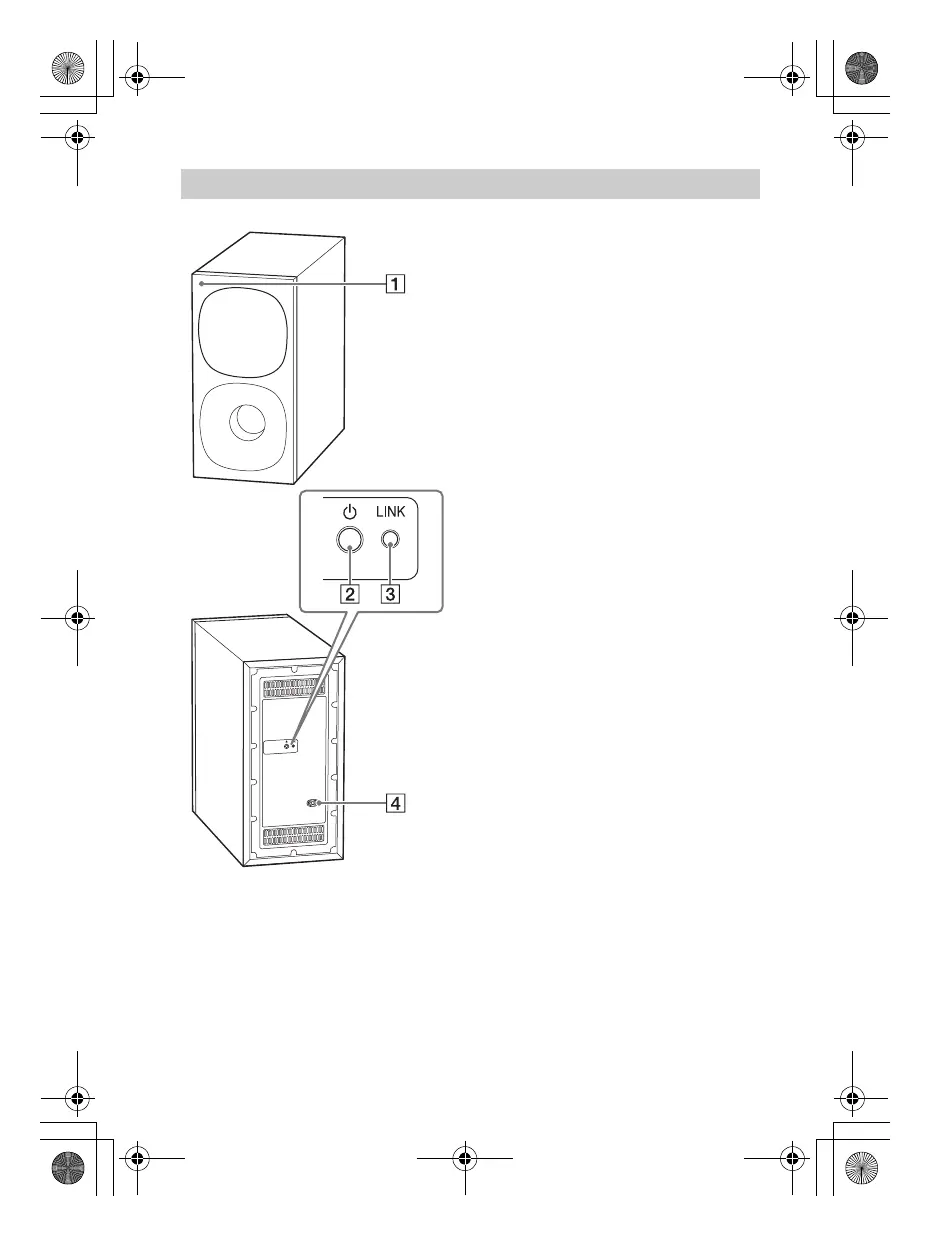
Power indicator
– Flashes quickly in green: The
subwoofer is attempting to
connect to the system with the
manual connection.
– Flashes slowly in green: The
subwoofer is attempting to
connect to the system.
– Lights in green: The subwoofer is
connected to the system.
– Flashes in amber: The software is
updating.
– Lights in red: The subwoofer is in
standby mode.
– Turns off: The subwoofer is turned
off.
(power) button
Turns on or off the subwoofer.
LINK button (page 15)
AC inlet
Subwoofer
010COV.book Page 10 Wednesday, September 18, 2019 1:58 PM



 To Next Page