28
US
HT-G700
5-013-058-11(1)
C:\FY20HT_models\SB1\ANKI\UC2\01US-HTZ9FUC2\070SOU.fm masterpage: Left
Setting the Sound Effect
that is Tailored to Sound
Sources (Sound Mode)
You can easily enjoy pre-programmed
sound effects that are tailored to
different kinds of sound sources.
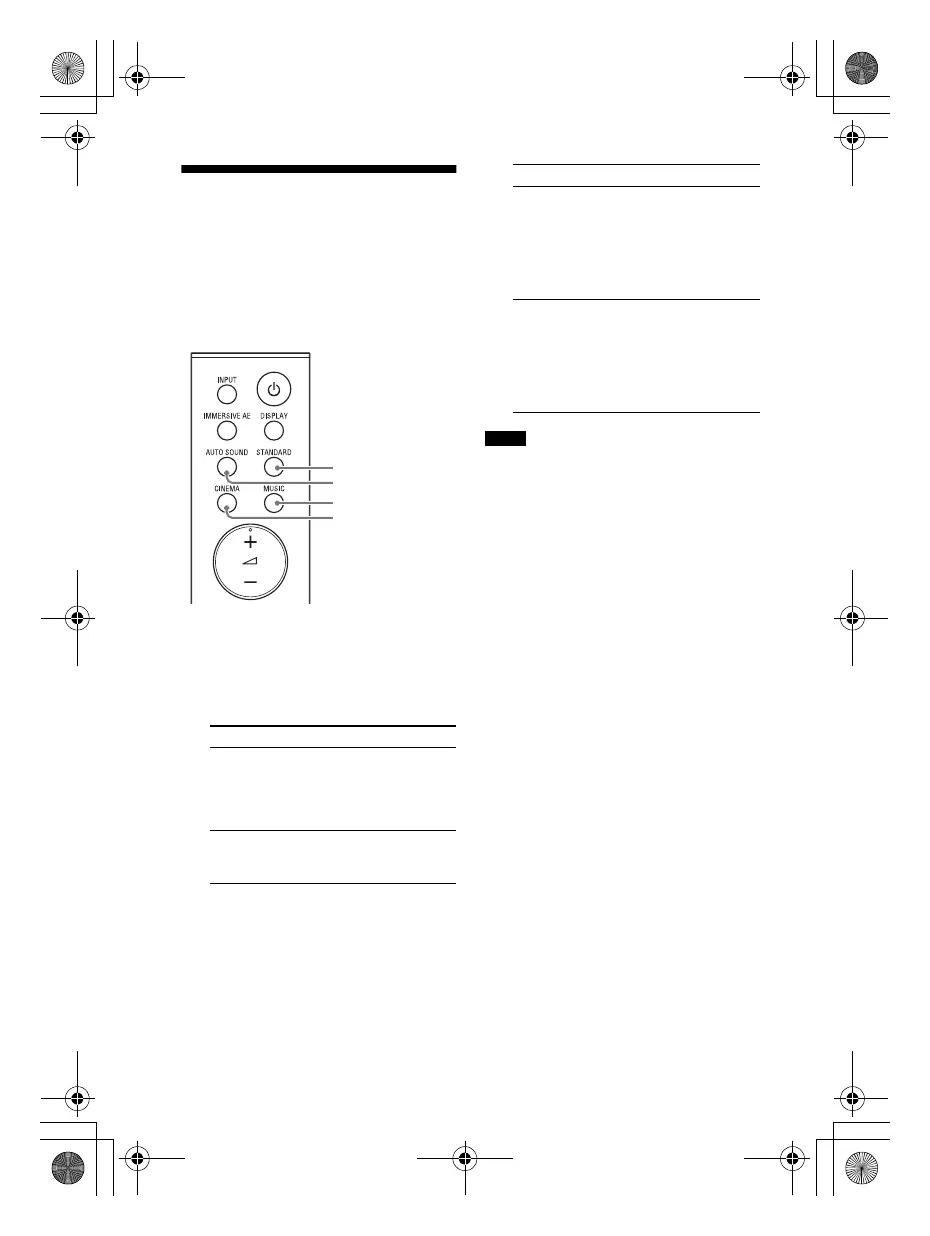
1 Press AUTO SOUND, STANDARD,
CINEMA, or MUSIC to select the
sound mode.
The selected sound mode appears
in the front panel display.
• The sound mode function is disabled
when the [AUDIO] - [EFFECT] setting is set
to a setting other than [SOUND MODE ON]
(page 35).
• The sound mode does not appear on the
TV screen while the TV input is selected.
• A time gap between the sound and
picture may occur depending on the
sound source. If your TV has a function
that delays the image, use it for
adjustment.
Sound mode Explanation
[AUTO
SOUND]
The appropriate
sound setting is
automatically
selected for the
sound source.
[STANDARD]
The sound of a TV
program can be
heard clearly.
CINEMA
MUSIC
AUTO SOUND
STANDARD
[CINEMA]
You feel immersed
by the sound that
travels behind you
and surrounds your
entire body. This
mode is suitable for
watching movies.
[MUSIC]
Vividness and
glossiness of the
sound are expressed
in detail. This mode
is suitable for
enjoying music in a
way that moves you.
Notes
Sound mode Explanation
010COV.book Page 28 Wednesday, September 18, 2019 1:58 PM



 To Next Page