15
US
C:\FY20HT_models\SB1\ANKI\UC2\01US-HTZ9FUC2\040PRE.fm masterpage:
Right
HT-G700
5-013-058-11(1)
Connecting the
Subwoofer
The subwoofer is connected to the
system automatically when they are
turned on.
For details, refer to Startup Guide
(separate document) for the subwoofer
connection.
If you cannot connect the subwoofer to
the system, or you use multiple wireless
products and want to specify the
wireless connection to link the system
to the subwoofer, perform the manual
connection.
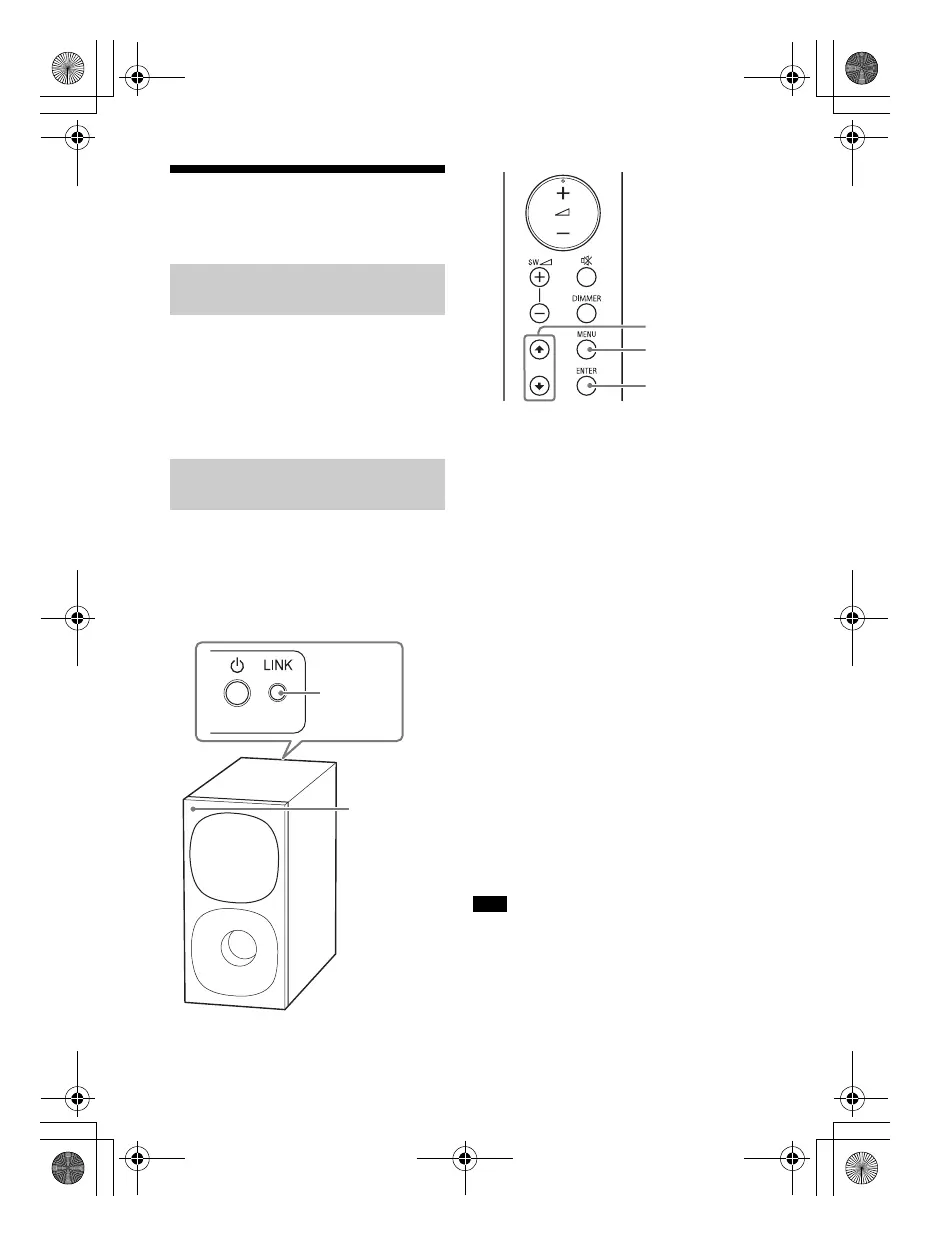
1 Press MENU.
The setting menu appears in the
front panel display.
2 Press / to select [SPEAKER],
then press ENTER.
3 Press / to select [LINK], then
press ENTER.
4 Press / to select [START], then
press ENTER.
[LINK] flashes in the front panel
display.
To cancel the manual link, select
[CANCEL].
5 Press LINK on the subwoofer.
The manual link starts.
The power indicator of the
subwoofer flashes quickly in green.
6 When [DONE] appears in the front
panel display, press MENU.
The link is established and the
power indicator of the subwoofer
lights in green.
If [ERROR] flashes twice in the front panel
display, the connection of the subwoofer is
not established. Perform the manual
connection again.
Connecting the Subwoofer
Automatically
Connecting the Subwoofer
Manually
Note
010COV.book Page 15 Wednesday, September 18, 2019 1:58 PM



 To Next Page