8
US
HT-G700
5-013-058-11(1)
C:\FY20HT_models\SB1\ANKI\UC2\01US-HTZ9FUC2\030PAC.fm masterpage: Left
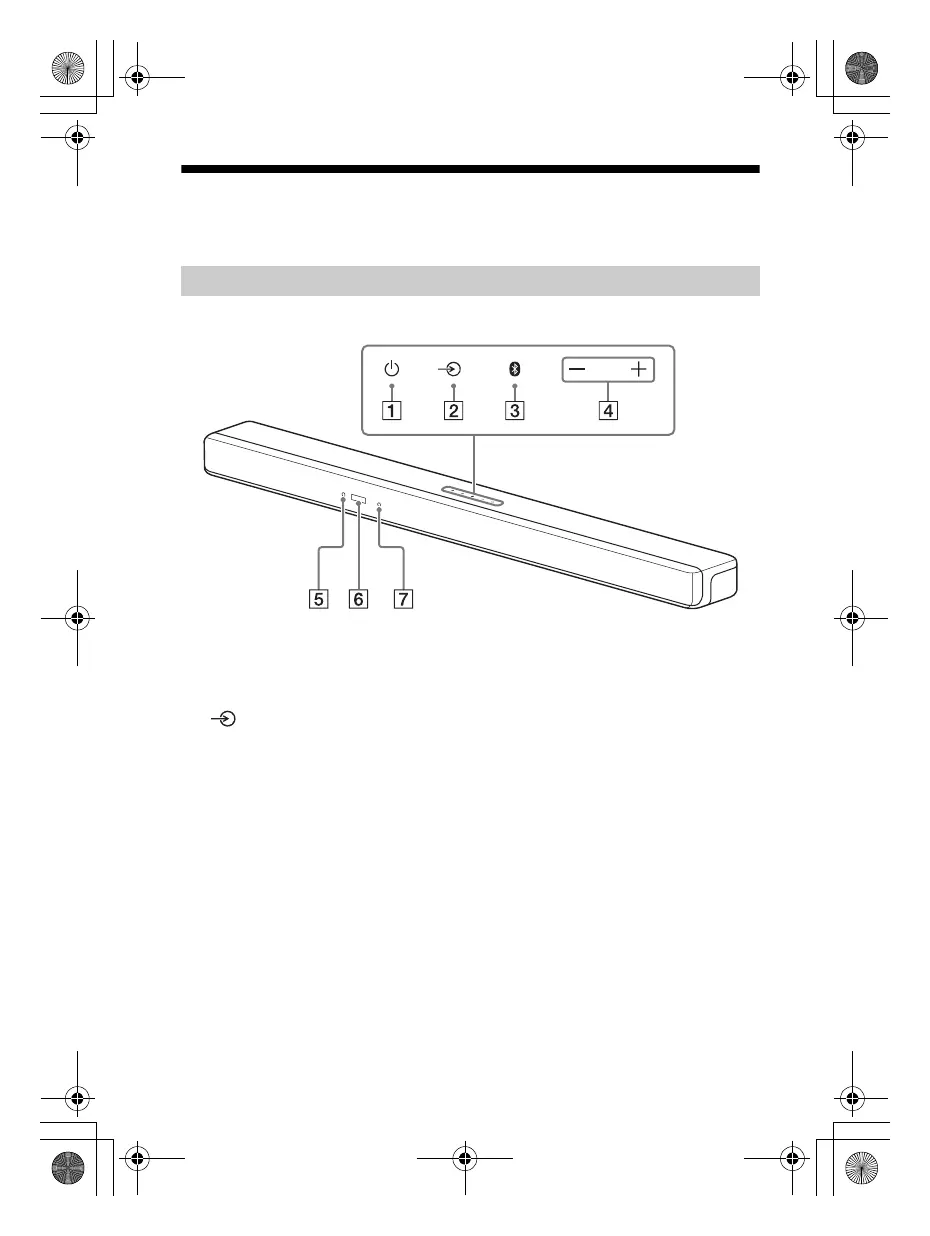
Guide to Parts and Controls
Details are omitted from the illustrations.
Front
(power) button
Turns on the system or sets it to
standby mode.
(input select) button
Selects the input for playback on the
system.
BLUETOOTH button (page 24)
+/– (volume) buttons
BLUETOOTH indicator
– Lights in blue: BLUETOOTH
connection has been established.
– Flashes slowly in blue repeatedly:
BLUETOOTH connection is being
attempted.
– Flashes twice in blue repeatedly:
During pairing standby status.
Front panel display
Remote control sensor
Point the remote control at the
remote control sensor to operate
the system.
Bar Speaker (Main Unit)
010COV.book Page 8 Wednesday, September 18, 2019 1:58 PM



 To Next Page