EasyManua.ls Logo

Sony HVR-A1E - Page 34

Sony HVR-A1E
124 pages
Print Icon
To Next Page IconTo Next Page
To Previous Page IconTo Previous Page
Loading...
34
HVR-A1E/A1P 2-639-668-11(1)
Camcorder
TV
Menu Setting
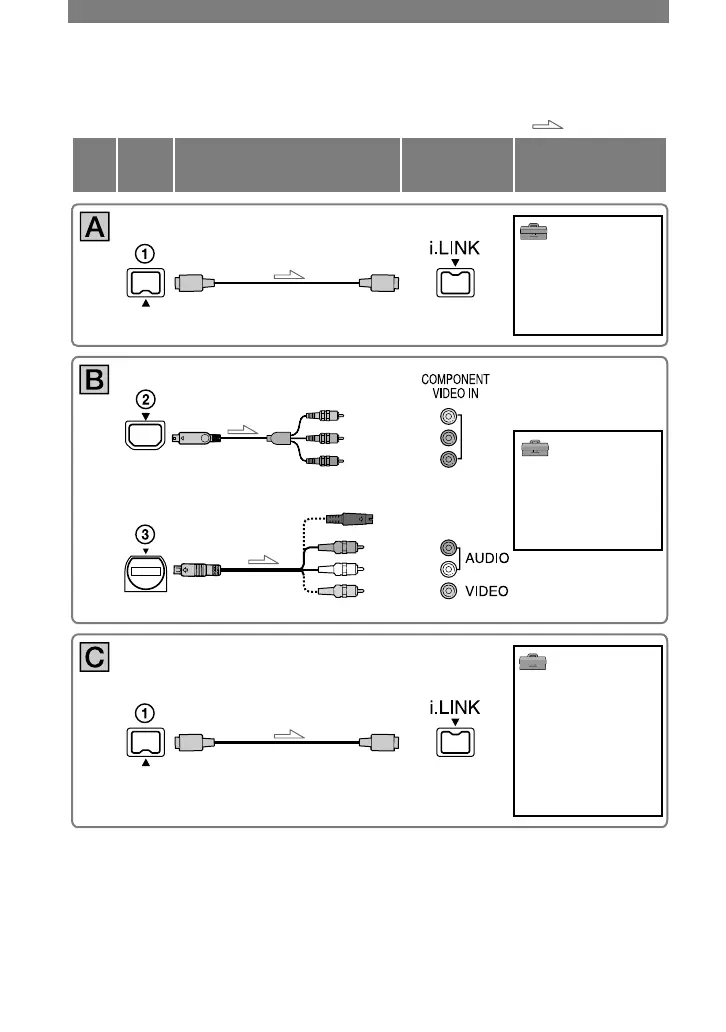
: Signal flow
CableType
i.LINK cable (optional)
(STANDARD SET)
[VCR HDV/DV]
[AUTO] (p. 57)
[i.LINK CONV]
[OFF] (p.61)
Component video cable
(supplied)
A/V connecting cable (supplied)
Do not connect the S video plug and the video plug (yellow).
(Red)
(White)
(Yellow)
(STANDARD SET)
[VCR HDV/DV]
[AUTO]
(p. 57)
[COMPONENT]*
(p. 60)
(Green) Y
(Blue) PB/CB
(Red) PR/CR
i.LINK cable (optional)
(STANDARD SET)
[VCR HDV/DV]
[AUTO]
(p. 57)
[i.LINK CONV]
[ON (HDV
DV)]
(p. 61)
[DOWN CONVERT]
*
(p. 61)
* Change the settings depending on the TV connected.
Connecting to a TV for viewing (Continued)

Table of Contents

Related product manuals