EasyManua.ls Logo

Sony IT-ID80 - Saving Phone Numbers in the Caller ID List

Sony IT-ID80
55 pages
Print Icon
To Next Page IconTo Next Page
To Previous Page IconTo Previous Page
Loading...
1
8m
Fe.
Looking
at
the
Caller
ID
list
(continued)
About
the
“REPEAT”
and
“SAVE”
display
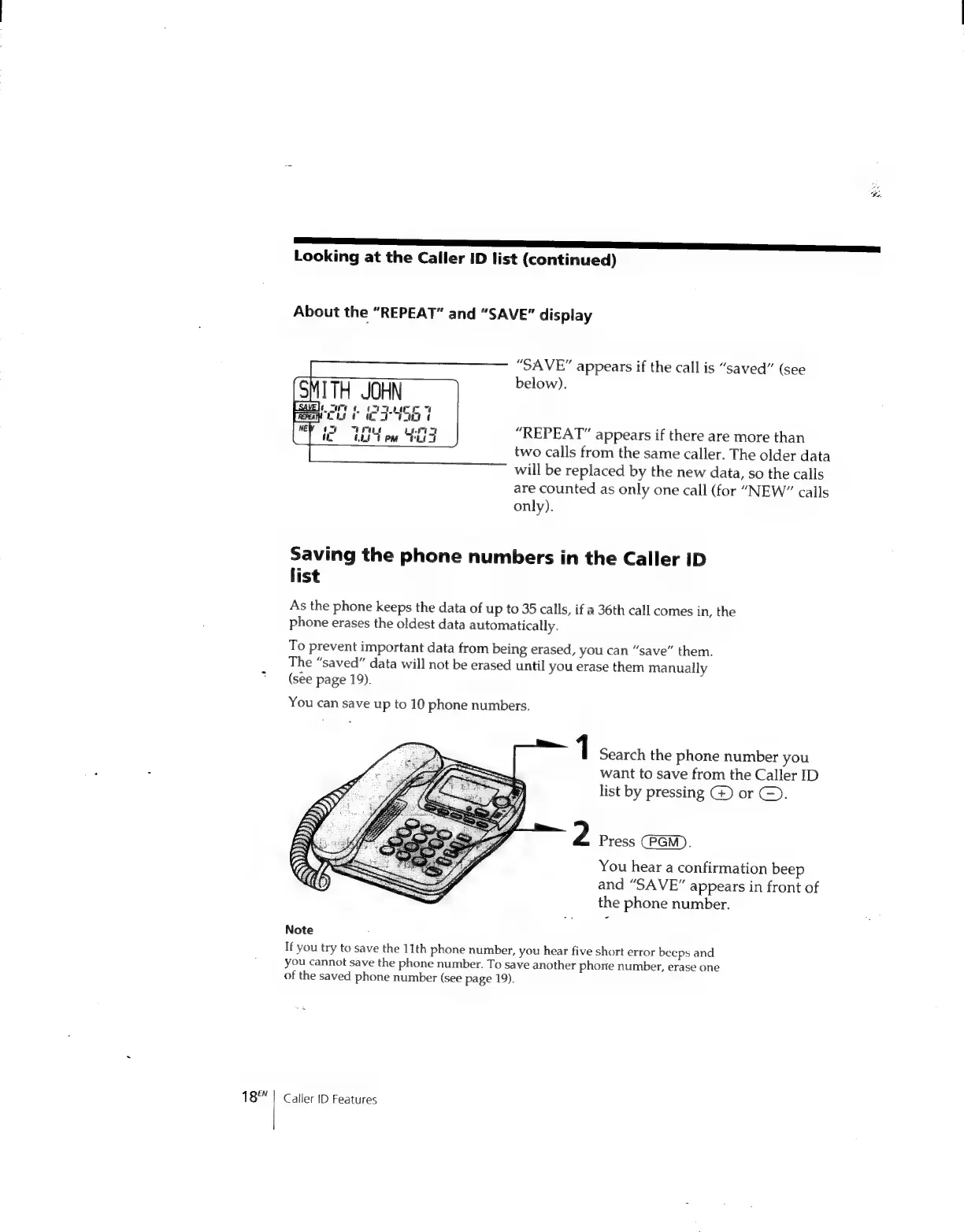
“SAVE”
appears
if
the
call
is
“saved”
(see
below).
“REPEAT”
appears
if
there
are
more
than
two
calls
from
the
same
caller.
The
older
data
will
be
replaced
by
the
new
data,
so
the
calls
are
counted
as
only
one
call
(for
“NEW”
calls
only).
Saving
the
phone
numbers
in
the
Caller
ID
list
As
the
phone
keeps
the
data
of
up
to
35
calls,
if
a
36th
call
comes
in,
the
phone
erases
the
oldest
data
automatically.
To
prevent
important
data
from
being
erased,
you
can
“save”
them.
The
“saved”
data
will
not
be
erased
until
you
erase
them
manually
(see
page
19).
You
can
save
up
to
10
phone
numbers.
1
Search
the
phone
number
you
want
to
save
from
the
Caller
ID
list
by
pressing
G)
or
©).
2
Press
(PGM).
You
hear
a
confirmation
beep
and
“SAVE”
appears
in
front
of
the
phone
number.
Note
If
you
try
to
save
the
11th
phone
number,
you
hear
five
short
error
beeps
and
you
cannot
save
the
phone
number.
To
save
another
phone
number,
erase
one
of
the
saved
phone
number
(see
page
19).
Cailer
ID
Features

Related product manuals