EasyManua.ls Logo

Sony IT-ID80 - Telephone Setup and Installation

Sony IT-ID80
55 pages
Print Icon
To Next Page IconTo Next Page
To Previous Page IconTo Previous Page
Loading...
Setting
up
the
telephone
Do
the
following
steps:
e
Insert
the
batteries
¢
Connect
the
telephone
¢
Choose
the
dialing
mode
Note
on
installation
Install
the
unit:
¢
ona
level
surface
*
away
from
heat
sources,
such
as
radiators,
airducts,
and
sunlight
*
away
from
excessive
moisture,
extremely
low
temperatures,
dust,
mechanical
vibration,
or
shock
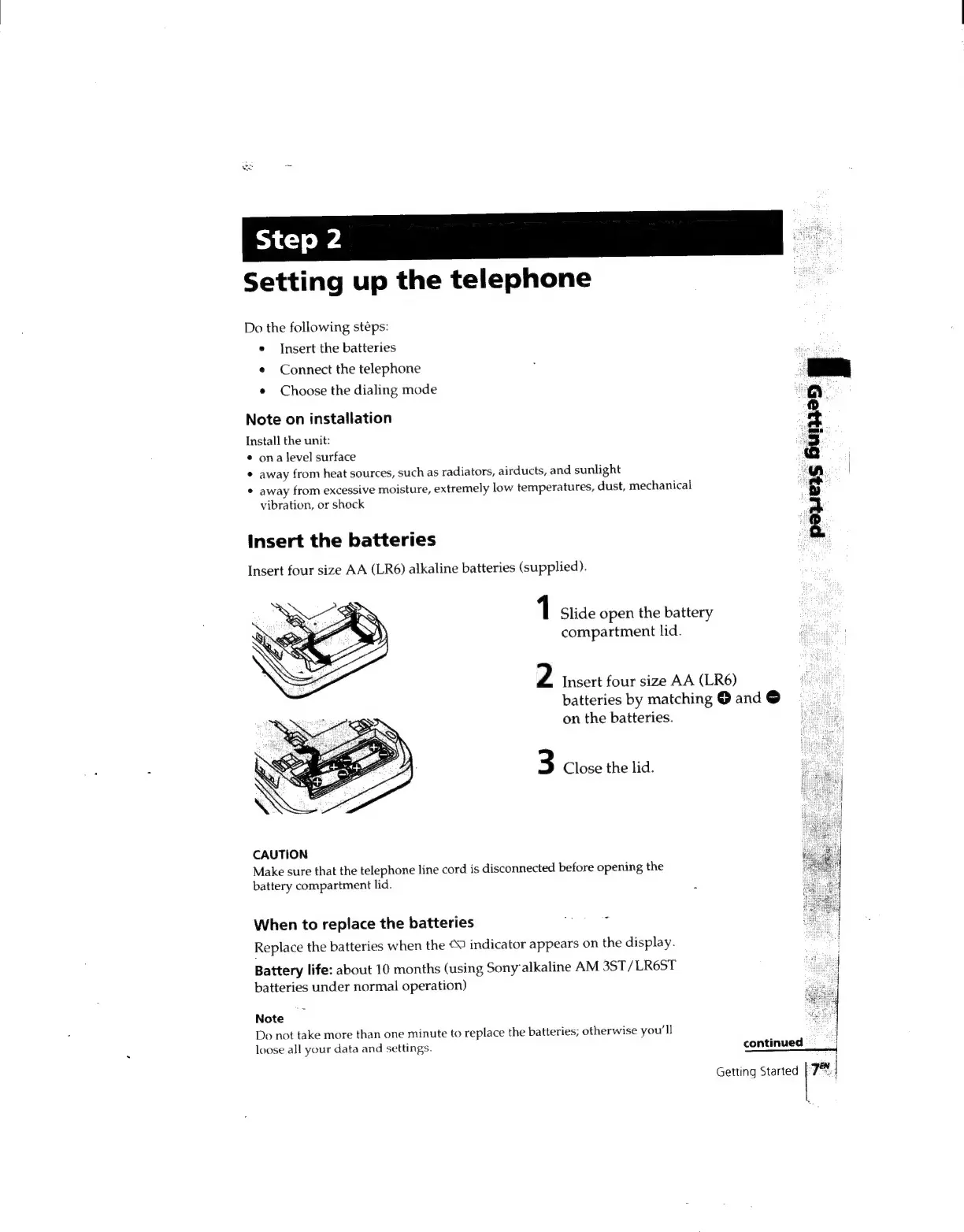
Insert
the
batteries
Insert
four
size
AA
(LR6)
alkaline
batteries
(supplied).
on
the
batteries.
3
Close
the
lid.
CAUTION
Make
sure
that
the
telephone
line
cord
is
disconnected
before
opening
the
battery
compartment
lid.
When
to
replace
the
batteries
:
Replace
the
batteries
when
the
9
indicator
appears
on
the
display.
Battery
life:
about
10
months
(using
Sonyalkaline
AM
3ST/
LR6ST
batteries
under
normal
operation)
Note
Do
not
take
more
than
one
minute
to
replace
the
batteries;
otherwise
you'll
loose
all
your
data
and
settings.
pois
a
1
Slide
open
the
battery
compartment
lid.
2
Insert
four
size
AA
(LR6)
batteries
by
matching
@
and
©
continued
©"
i
Getting
Started
|
7!

Related product manuals