16
GB
5: Selecting the
language
When you switch on the TV for the first time, the
language menu appears on the screen.
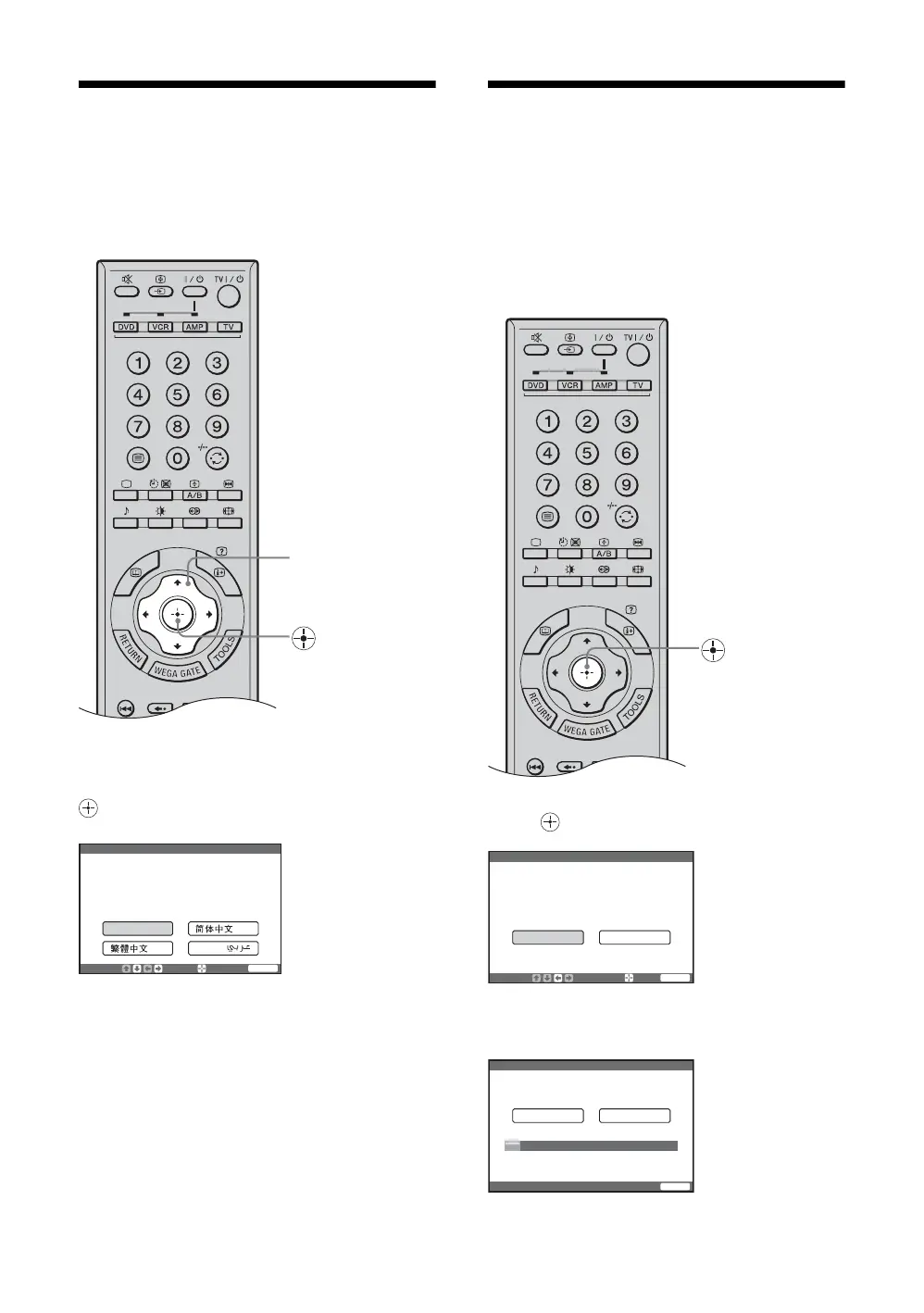
Press M/m/</, to select the language
displayed on the menu screens, then press
.
The message confirming that the TV starts auto
program appears on the screen, then go to “6: Auto-
programming the TV”.
6: Auto-programming
the TV
After selecting the language, a message confirming
that the TV starts auto program appears on the screen.
You must tune the TV to receive channels (TV
broadcasts). Do the following to search and store all
available channels.
Press to select “Yes”.
M/m/</,
Please select your language
Initial Setup
Select:
Enter:
End:
English
WEGA GATE
Please connect cable / antenna
before starting auto program
Start auto program now?
Select:
Enter:
Ye s
No
Initial Setup
End:
WEGA GATE
01
Program TV System
VHF Low
Press any key to cancel
Auto
Initial Setup
End:
WEGA GATE
m


 To Next Page