24
GB
Overview of WEGA GATE
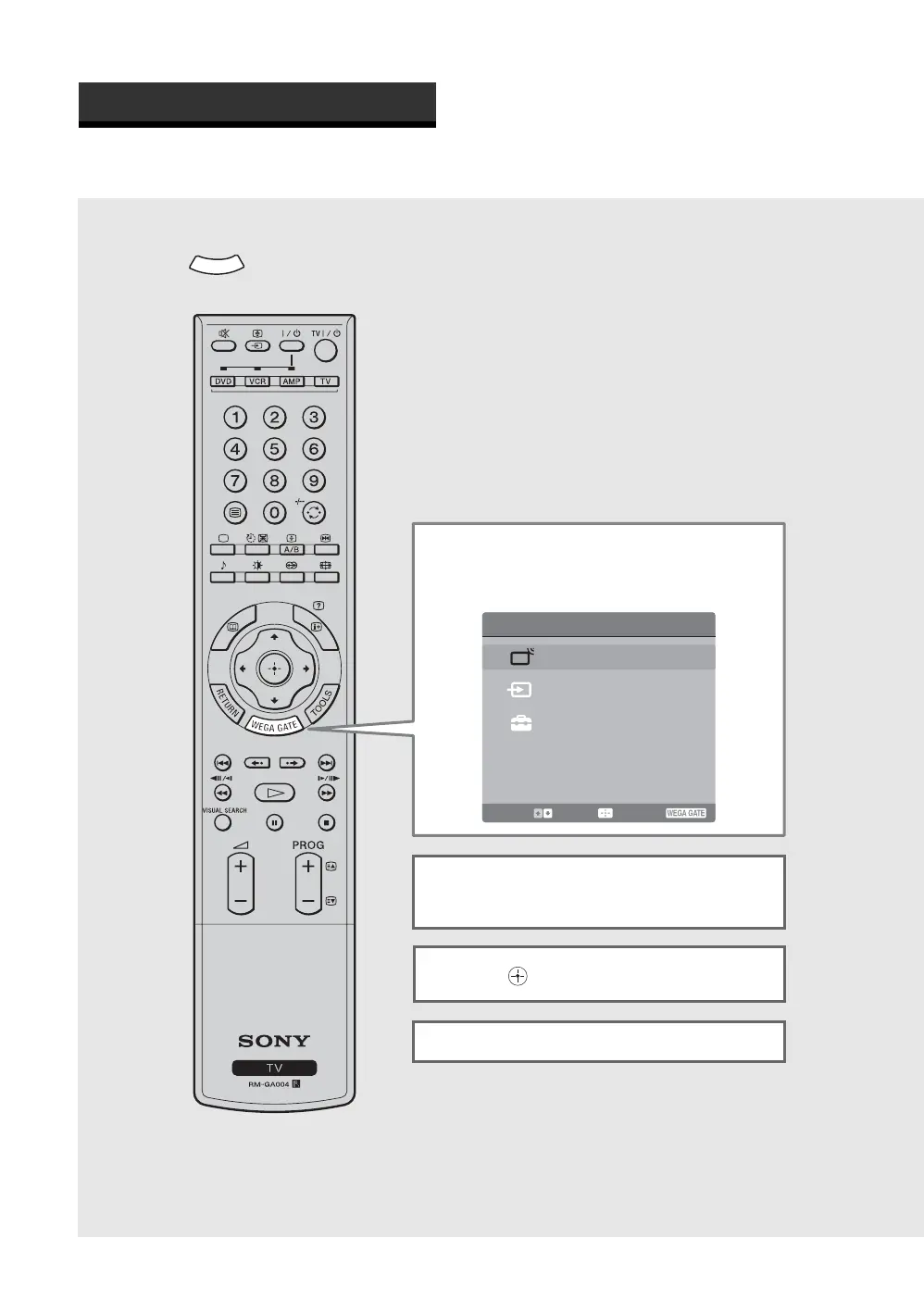
WEGA GATE provides one button access for controlling your TV. It enables you to perform a variety of tasks
intuitively with a control panel on the screen rather than a variety of remote control button presses.
When you press , you can select from basic TV function: watching TV, viewing external equipment signals,
adjusting TV settings.
Introducing WEGA GATE
W
E
G
A
GATE
WEGA GATE
TV List
External Inputs
Settings
Show available TV programs
Select: Enter: End:
1 Press WEGA GATE on the remote.
The WEGA GATE control panel appears.
2 Press M/m to highlight the item you
want.
3 Press to select.
Press WEGA GATE to exit.


 To Next Page