40
GB
Selects the type of the video jack to be used from those on the left side of the TV.
Press M/m to select one of the following, then press .
Auto: Activates the component video jacks (Y, PB/CB, PR/CR), however, the composite video
jack is selected when the component video jacks are not connected.
Off: Activates the composite video jack ( ).
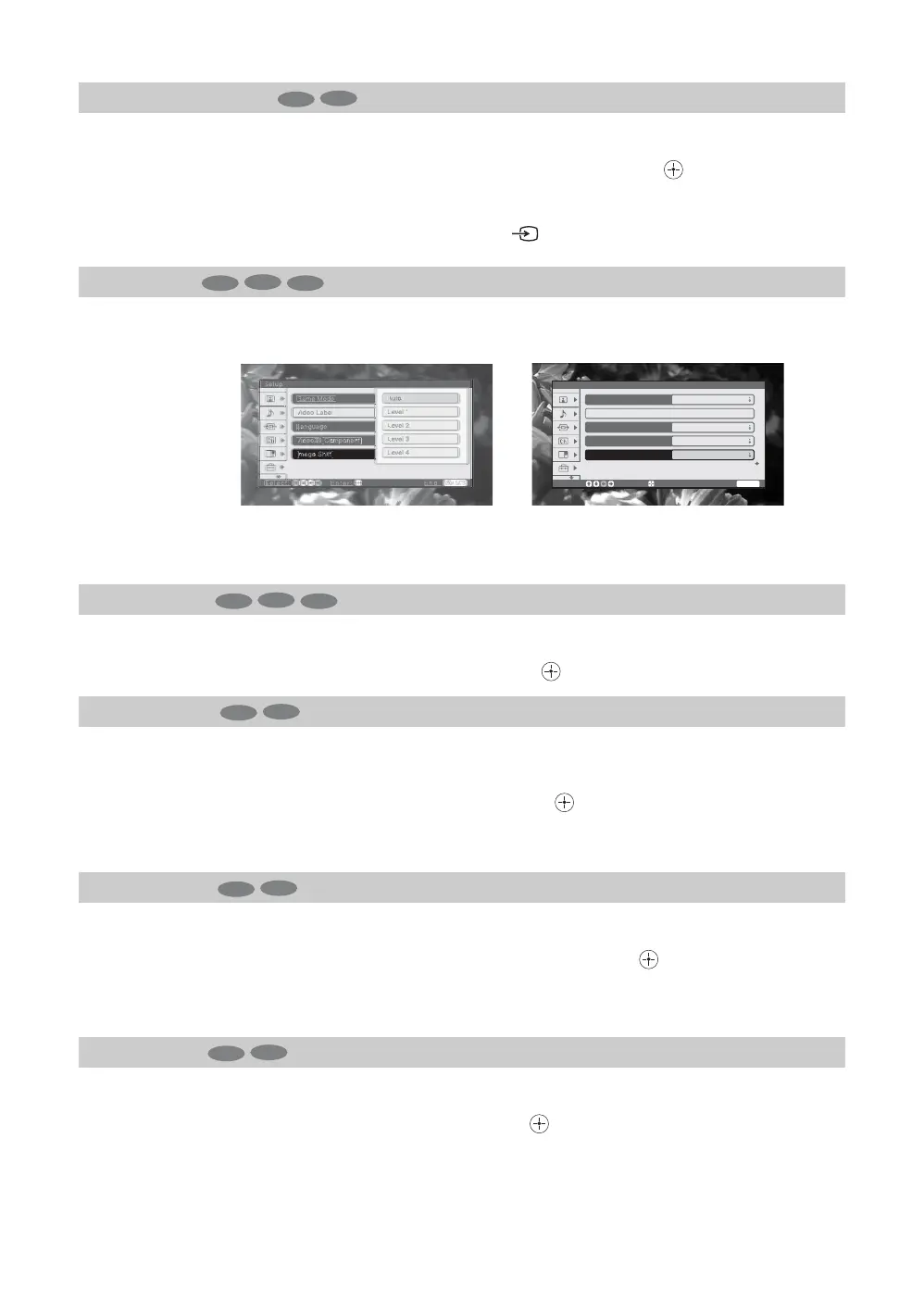
Corrects the image on your TV.
Auto (Factory setting): Automatically corrects double images.
Level 1-4: Aligns the images and improve the picture. The adjusted value tends to move
strongly away from Level 1, and towards Level 4.
Selects On when you use the TV at an altitude of 5,000 feet (1,500 m) or higher.
Press M/m to select “On”, then press .
Provides an optimized display by automatically detecting the film content. Moving pictures
will appear clearer and more natural-looking.
Press M/m to select “Auto”, then press .
Tip
You can select this option for NTSC system pictures only.
Sets the color system of the TV to that of the source you want to play back.
Press M/m to select the color system, then press .
Usually select “Auto” so that an appropriate color system for the source is selected
automatically.
Resets all the manual settings to the factory settings.
Press < to select “Ok”, then press . Repeat this operation once more.
Video2(Component)
Image Shift
High Altitude
Cinema Drive
Color System
Initial Reset
TV
Video
TV
Video
PC
etu
elect
Enter
n
EGA GAT
ame Mod
eo
a
an
ua
om
onen
Image
hif
ut
eve
L
v
l
Level
eve
Before adjusting
Setup
Select:
Enter:
End:
WEGA GATE
Game Mode
Video Label
Language
Off
Video2
(
Component
)
Image Shift
English
Off
Auto
After adjusting
TV
Video
PC
TV
Video
TV
Video
TV
Video


 To Next Page