Introducing WEGA GATE
25
GB
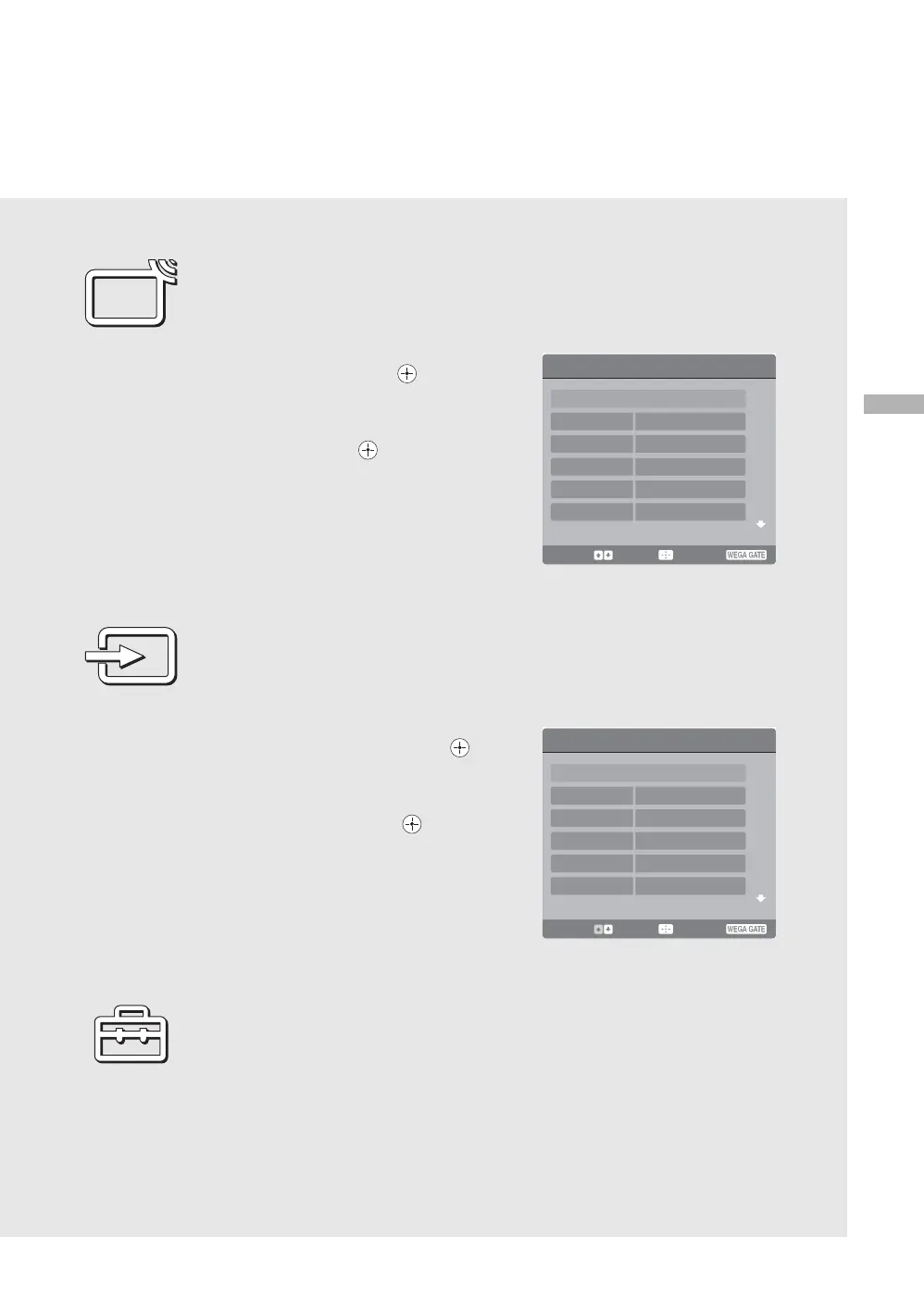
Using TV List in WEGA GATE
The TV List feature lets you select TV programs from a list of channel labels. You can
assign a label to each channel. (page 36)
1 Select TV List from the WEGA GATE
control panel and press .
The TV List panel appears.
2 Press M/m to highlight the desired TV
channel and press .
Using External Inputs in WEGA GATE
The External Inputs feature lets you select equipment that is connected to your TV, such as
a DVD player/PC. You can assign a label to your equipment or skip unused inputs
conveniently. (page 39)
1 Select External Inputs from the WEGA
GATE control panel and press .
The External Inputs panel appears.
2 Press M/m to highlight the desired
external input and press .
Using Settings in WEGA GATE
The Settings feature lets you adjust/set the Picture, Sound, Screen, Program, Twin Picture,
Setup or Timer settings. For details, see page 26.
TV List
Return
01
02
04
05
03
Select: Enter: End:
Select: Enter: End:
External Inputs
Return
Video 1
Video 2
Video 3
HD
/
DVD1
HD
/
DVD2
Video 1
Video 2
Video 3
HD
/
DVD1
HD
/
DVD2


 To Next Page